No clipboard, no double data entry, no check-in line. See how Digital Arrival moves guests from enquiry to room key on one connected Guestara flow.




Guests give you their name, ID, and arrival time the moment they book. Then they stand at your desk and hand it all over again on a registration card, while your team types it into the PMS a second time.
Digital Arrival closes that gap. It's five things we've built — Unified Inbox, Journey Builder, AI Check-in, Smart Locks, and Payments — working as one connected flow, so a guest moves from enquiry to a working room key without your front desk touching the same data twice. Here's exactly how it plays out.
Long before a guest checks in, they're usually asking you something. Is the pool open in December? Do you allow pets? Can they get a late checkout? That question can land from anywhere — your OTA listing, your website chat, a WhatsApp number they found on Instagram, or a promotional campaign you sent last week.
In Guestara, every one of those conversations lands in one place: the Unified Inbox.
Because there's no booking attached to the contact yet, the system automatically tags the conversation as an Enquiry — and shows your team exactly which channel it came in on, whether that's WhatsApp, email, Messenger, Instagram, Airbnb, or Booking.com. Nobody on your team has to go hunting across five apps to find out someone messaged you. It's already sorted, before anyone touches it.
.webp)
Guests don't always book through the same channel they enquired on — and that's fine. The moment a reservation is created in your PMS, Guestara's two-way integration picks it up instantly, over webhook, no manual entry, no waiting for a nightly sync.
Your team gets a live view of today's arrivals and everything coming up in the days ahead, pulled directly from the PMS — so front desk always knows who's walking in before they walk in.
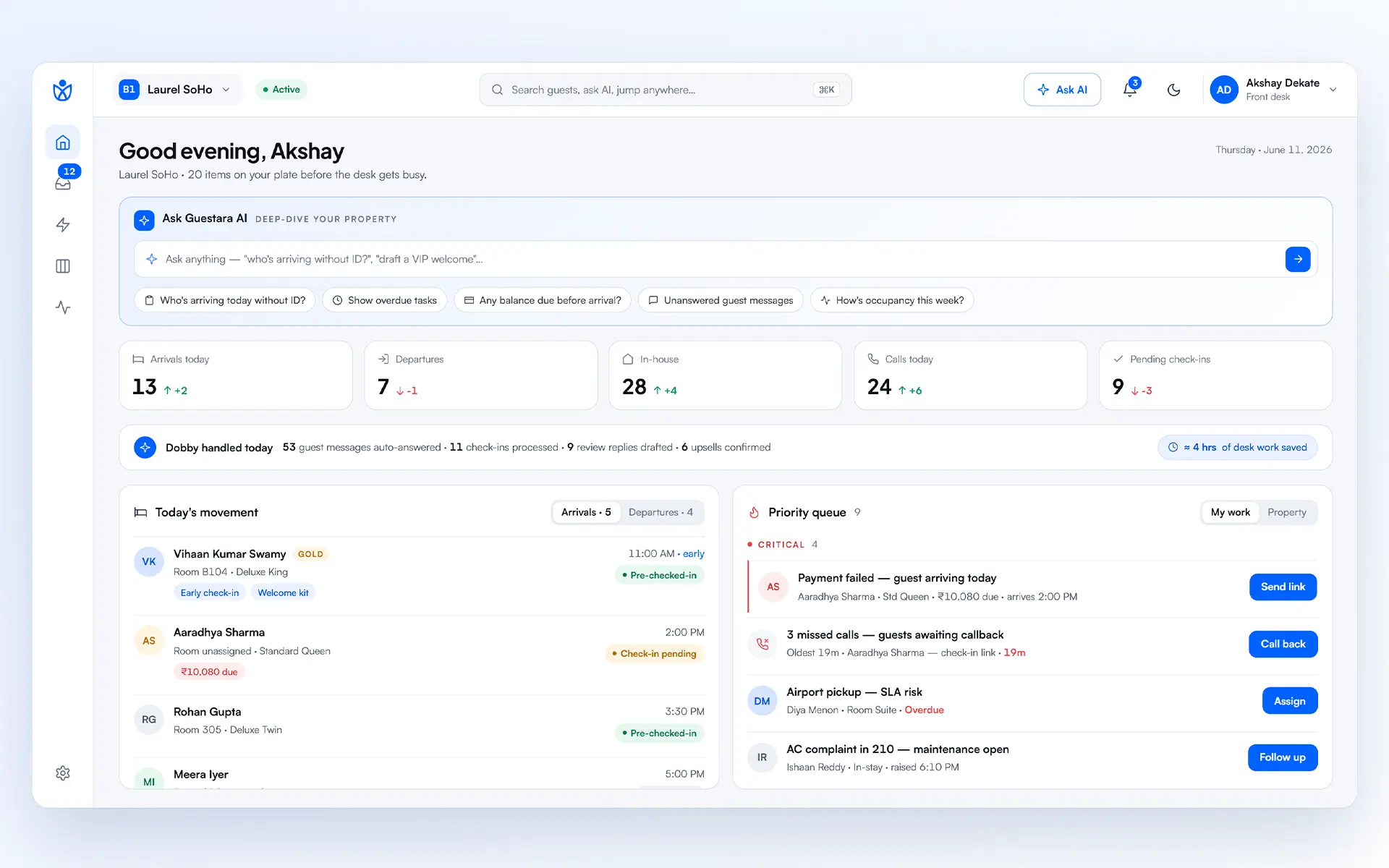
This is where Journey Builder comes in. Instead of your team manually remembering to message every guest at the right moment, you set the rule once.
Want a digital check-in message to go out 24 hours before arrival, over WhatsApp? Build that journey once, and every eligible booking gets it automatically. You choose the channel, the timing, and the stage the message belongs to — pre-stay, in-stay, or post-stay — so a single guest's entire arc, from "your booking is confirmed" to "how was your stay," runs on rules you set once and never touch again.
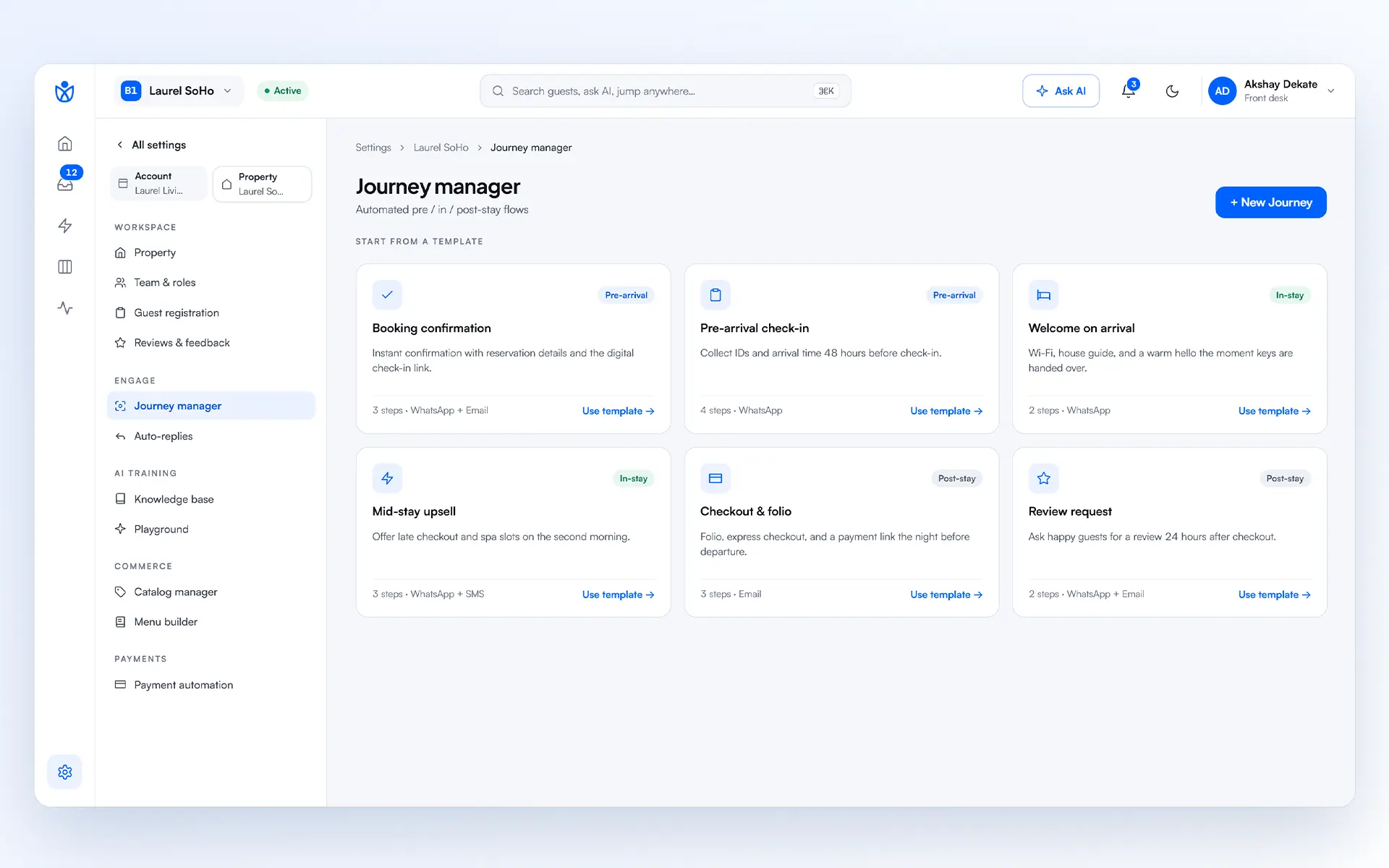
When the digital check-in message reaches a guest, they have a genuine choice — and this is the heart of Digital Arrival.
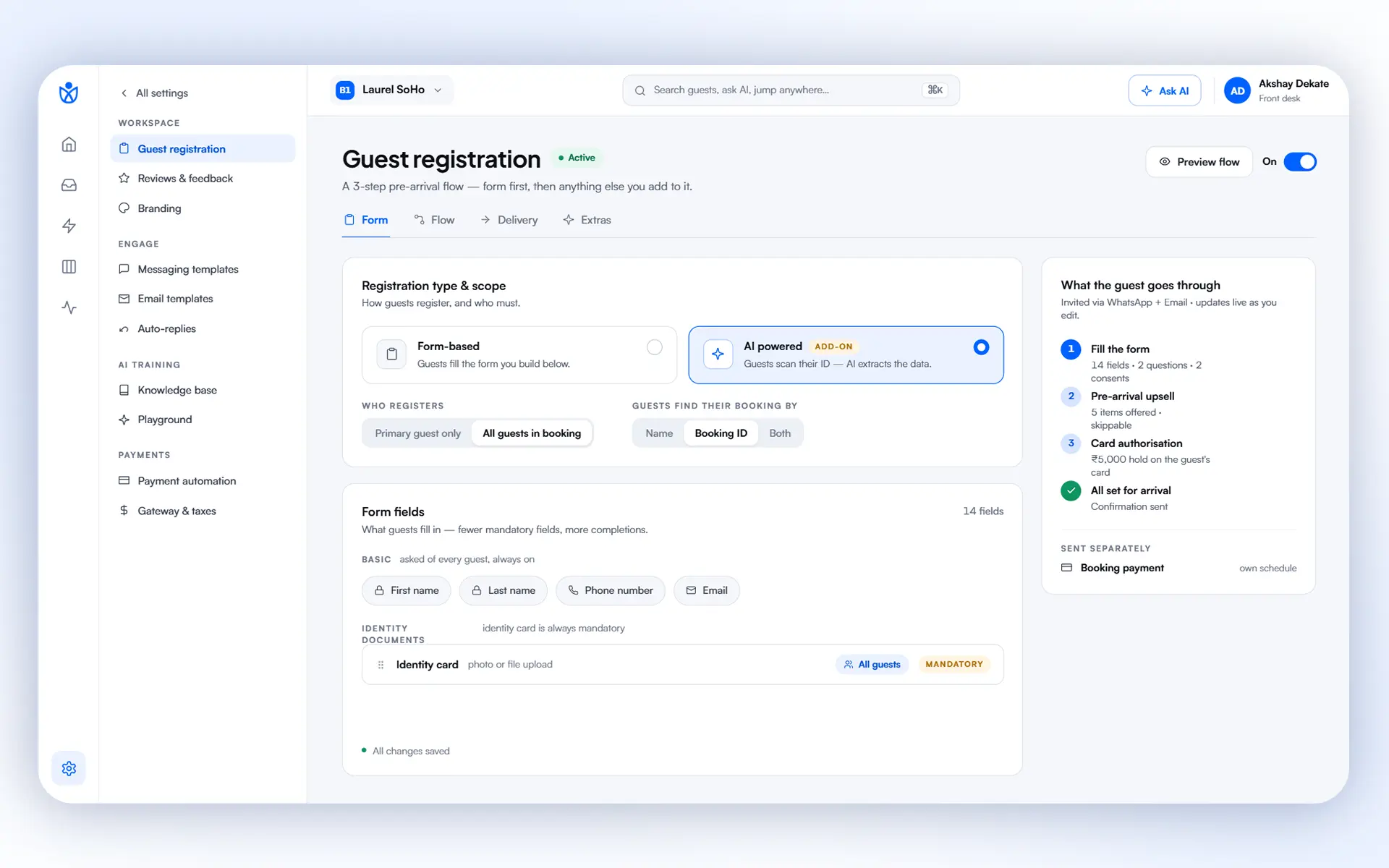
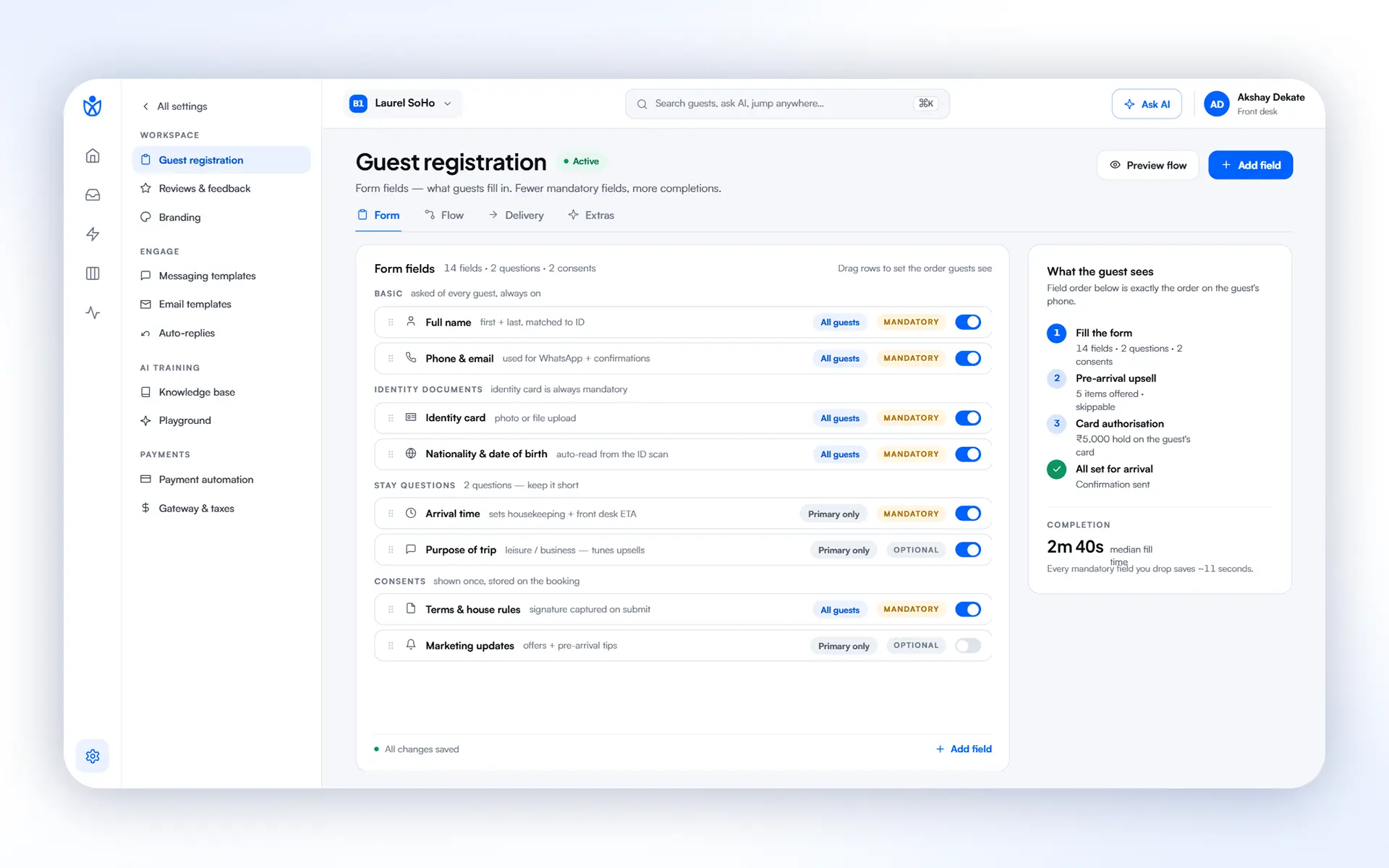
Option one: guests fill the registration form themselves. Every field is exactly what you've configured — you decide what's mandatory and what's optional, so the form matches your property's compliance needs, not a generic template.
Option two — Guestara's flagship: guests scan their ID and our AI fills the form for them. No typing a passport number, no misspelling a name. Point the camera, and the details are in, accurately, in about 30 seconds. This is the fastest way we know to get a guest from "I got a message" to "I'm checked in."
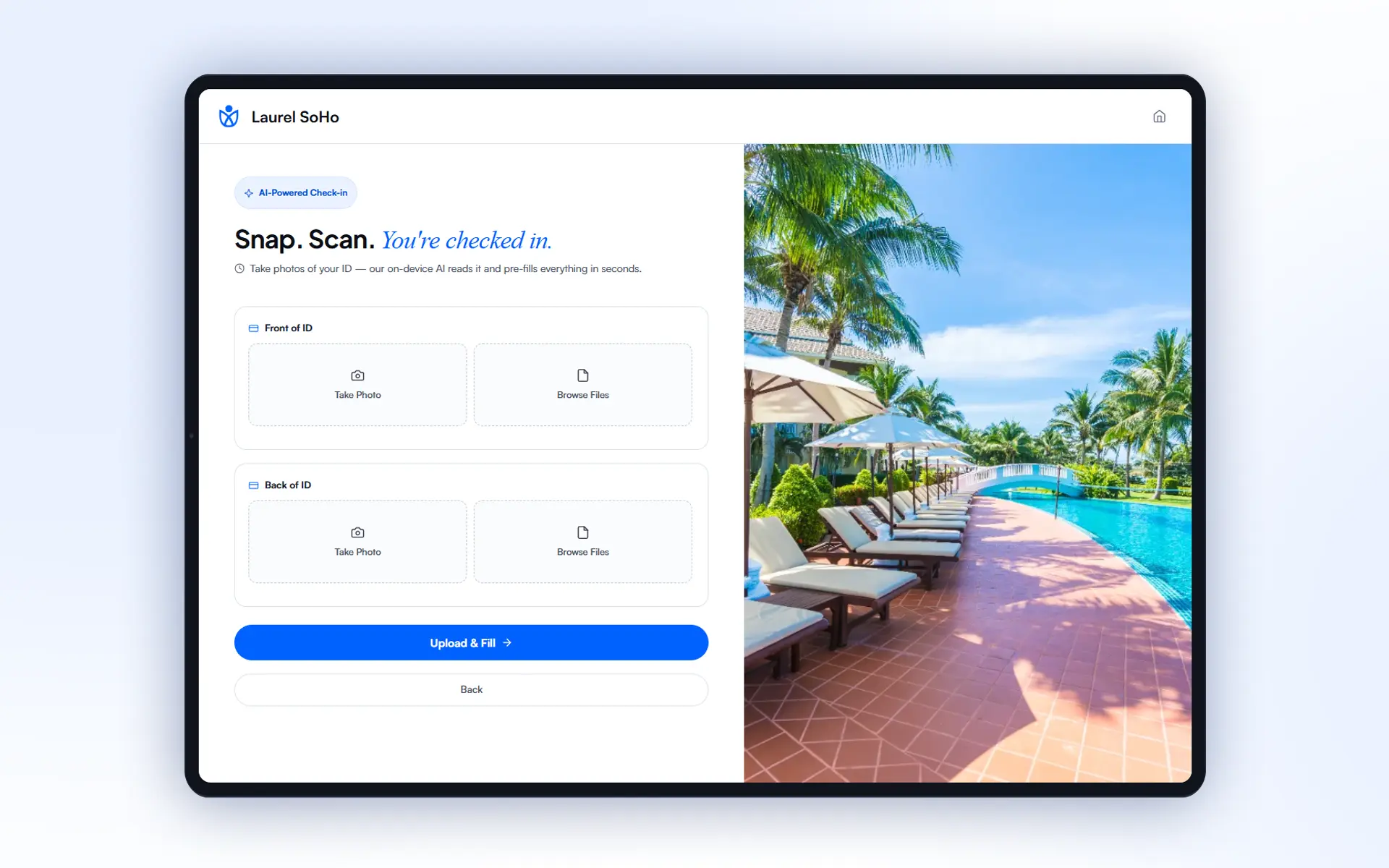
You also control who this goes to — send it only to the primary guest on the booking, or to every named guest, so a family or group booking doesn't leave anyone unregistered.
If a rental agreement applies, it's attached right inside the same form — it pops up at the right point, the guest reviews and accepts it, and it's done. No separate PDF, no separate email, no chasing a signature later.
Not every guest will complete this before arrival — and Digital Arrival is built for that too.
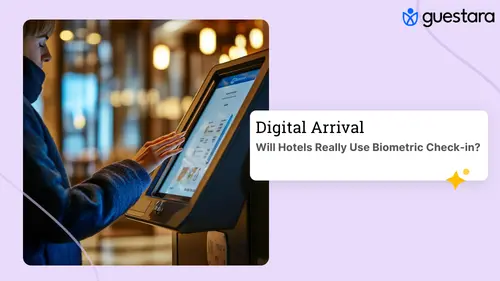
If a guest shows up without having done it, your front desk doesn't fall back to a clipboard. They simply pull up the booking on their screen and send it straight to a tablet set up as a self-service kiosk at the front desk. The guest completes the same digital form there, on arrival, instead of your agent typing it in by hand.
Either way — online before arrival, or on a tablet at the desk — the data enters your system once, not twice.
.webp)
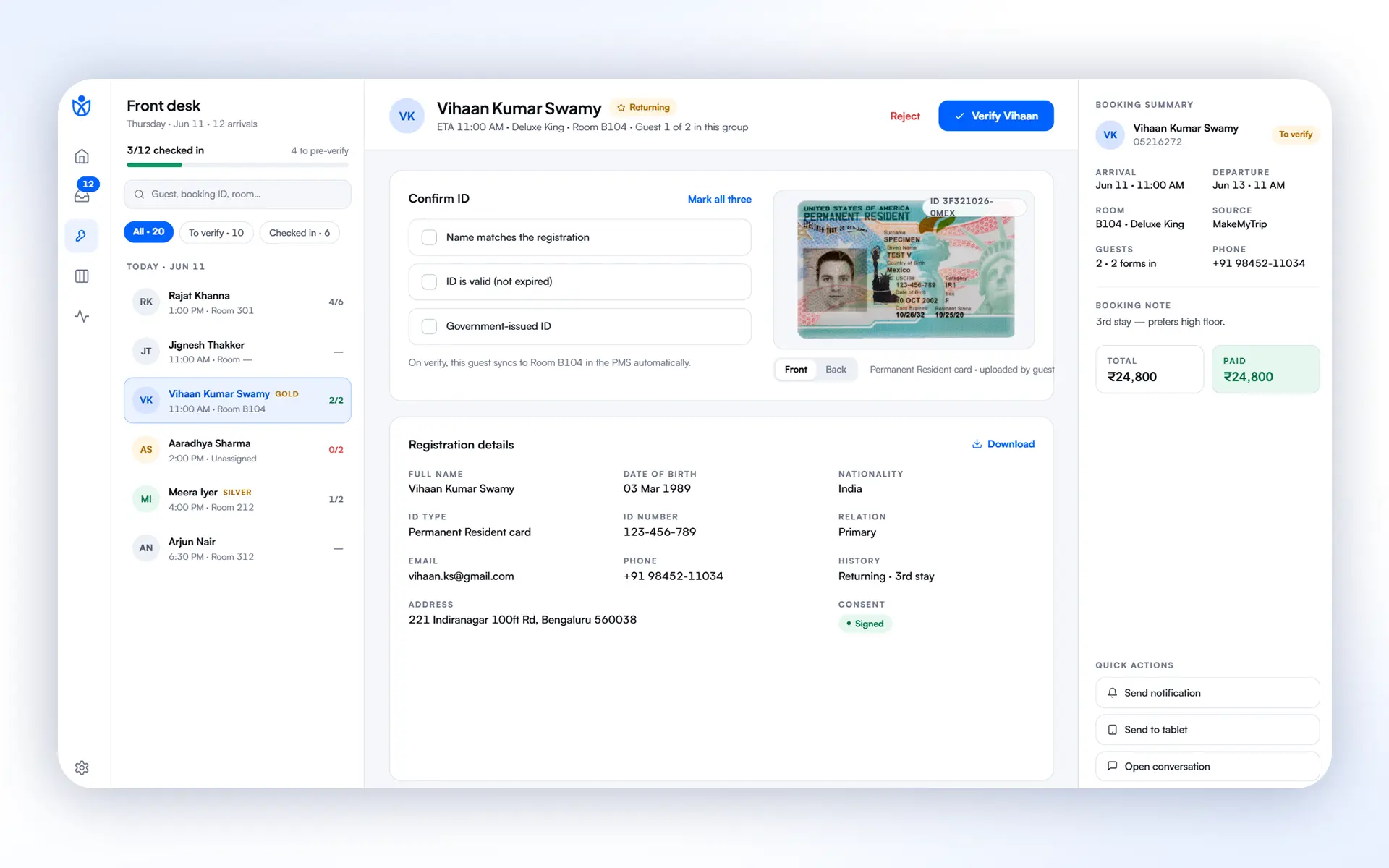
Once a form is submitted — online or at the kiosk — your front desk verifies the guest's details and approves the check-in. That's it. That's the one human decision in the entire flow, and it's the one you'd want a person making anyway.
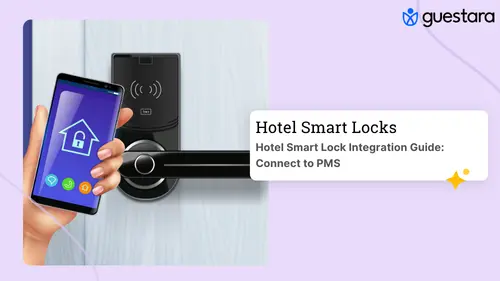
The moment that approval happens, if the room has a smart lock, the access code is sent to the guest automatically — triggered directly from the journey you built earlier. No one has to walk to a lock panel or hand over a physical key card.
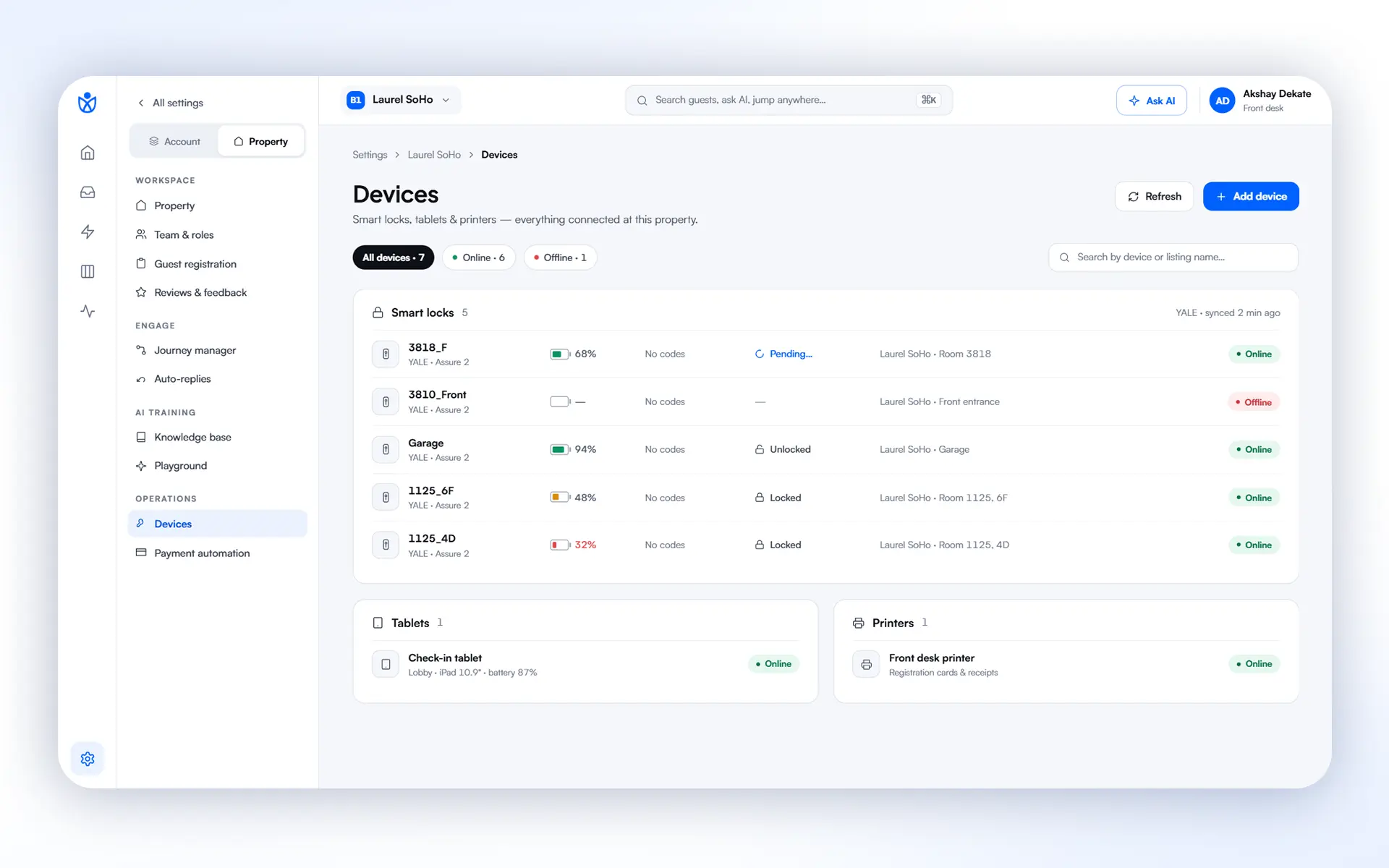
Put together, a hotel can run this entire sequence — enquiry, booking sync, pre-arrival messaging, registration, verification, key issuance — with no manual intervention except the one approval step, and no check-in queue building up at the desk during peak arrival hours.
Digital Arrival doesn't stop at the room key.
The moment a guest completes their form, you can automatically trigger breakfast offers or other promotional messages — reaching them exactly when they're paying attention, right after they've engaged with you.
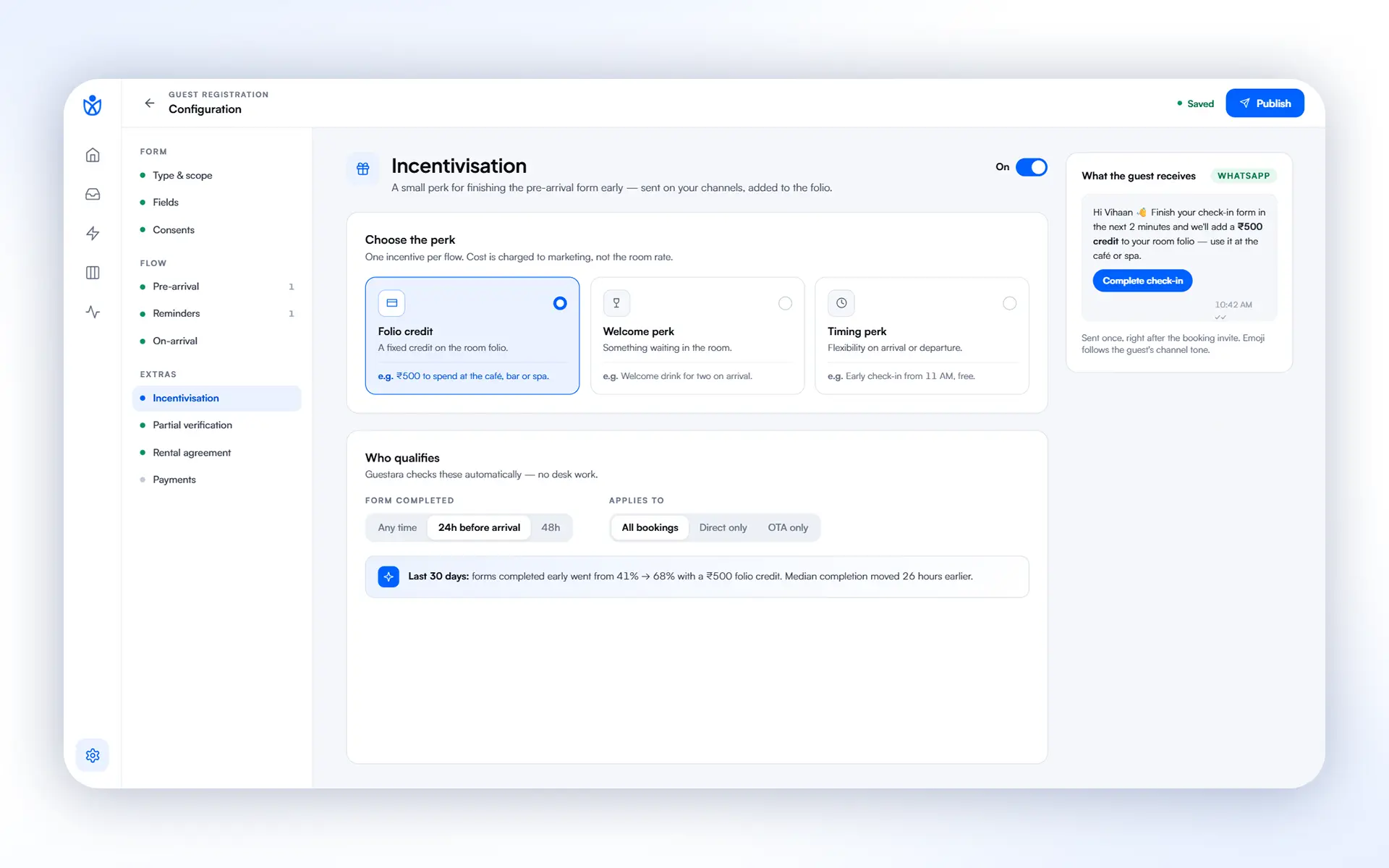
To get more guests completing digital check-in in the first place, you can also turn on incentives — a coupon, a discount, a small perk — offered specifically to guests who check in digitally. It's a simple lever that pushes adoption up without your team having to ask a single guest to do it.
And for the guests who haven't filled the form yet, Guestara sends automatic reminders — so pre-arrival forms don't quietly go unfinished and turn into a check-in queue anyway.
If your property collects payment or authorizes a card ahead of arrival, that step lives inside the same journey — booking payment collection and card authorization, done digitally, before check-in day. Guests settle this at their own pace, from their phone, instead of at the counter while a line forms behind them.
Every piece above already exists as its own capability inside Guestara — messaging, reservations sync, journeys, AI check-in, smart locks, payments. Digital Arrival is what happens when a hotel connects all of them into one path a guest walks without friction, and a front desk team runs without re-entering a single field twice.
The properties getting the most out of this aren't necessarily the biggest ones — they're the ones with lean front-desk teams who can't afford three staff on the counter during every check-in rush. That's exactly who this was built for.
If you're on Guestara today, Digital Arrival is built from modules you likely already have access to. Talk to your Guestara success contact about turning on AI check-in, setting up your first Journey, or connecting smart lock access — most properties are live within days, not weeks.
If front-desk queues, double data entry, or guests re-typing details they already gave you sounds familiar, this is worth fifteen minutes. Book a demo and we'll walk you through Digital Arrival on your own property's numbers.
Have questions about setting up Digital Arrival at your property? Reach out to your Guestara contact, or get in touch here.


No clipboard, no double data entry, no check-in line. See how Digital Arrival moves guests from enquiry to room key on one connected Guestara flow.
Guests give you their name, ID, and arrival time the moment they book. Then they stand at your desk and hand it all over again on a registration card, while your team types it into the PMS a second time.
Digital Arrival closes that gap. It's five things we've built — Unified Inbox, Journey Builder, AI Check-in, Smart Locks, and Payments — working as one connected flow, so a guest moves from enquiry to a working room key without your front desk touching the same data twice. Here's exactly how it plays out.
Long before a guest checks in, they're usually asking you something. Is the pool open in December? Do you allow pets? Can they get a late checkout? That question can land from anywhere — your OTA listing, your website chat, a WhatsApp number they found on Instagram, or a promotional campaign you sent last week.
In Guestara, every one of those conversations lands in one place: the Unified Inbox.
Because there's no booking attached to the contact yet, the system automatically tags the conversation as an Enquiry — and shows your team exactly which channel it came in on, whether that's WhatsApp, email, Messenger, Instagram, Airbnb, or Booking.com. Nobody on your team has to go hunting across five apps to find out someone messaged you. It's already sorted, before anyone touches it.
Guests don't always book through the same channel they enquired on — and that's fine. The moment a reservation is created in your PMS, Guestara's two-way integration picks it up instantly, over webhook, no manual entry, no waiting for a nightly sync.
Your team gets a live view of today's arrivals and everything coming up in the days ahead, pulled directly from the PMS — so front desk always knows who's walking in before they walk in.
This is where Journey Builder comes in. Instead of your team manually remembering to message every guest at the right moment, you set the rule once.
Want a digital check-in message to go out 24 hours before arrival, over WhatsApp? Build that journey once, and every eligible booking gets it automatically. You choose the channel, the timing, and the stage the message belongs to — pre-stay, in-stay, or post-stay — so a single guest's entire arc, from "your booking is confirmed" to "how was your stay," runs on rules you set once and never touch again.
When the digital check-in message reaches a guest, they have a genuine choice — and this is the heart of Digital Arrival.
Option one: guests fill the registration form themselves. Every field is exactly what you've configured — you decide what's mandatory and what's optional, so the form matches your property's compliance needs, not a generic template.
Option two — Guestara's flagship: guests scan their ID and our AI fills the form for them. No typing a passport number, no misspelling a name. Point the camera, and the details are in, accurately, in about 30 seconds. This is the fastest way we know to get a guest from "I got a message" to "I'm checked in."
You also control who this goes to — send it only to the primary guest on the booking, or to every named guest, so a family or group booking doesn't leave anyone unregistered.
If a rental agreement applies, it's attached right inside the same form — it pops up at the right point, the guest reviews and accepts it, and it's done. No separate PDF, no separate email, no chasing a signature later.
Not every guest will complete this before arrival — and Digital Arrival is built for that too.
If a guest shows up without having done it, your front desk doesn't fall back to a clipboard. They simply pull up the booking on their screen and send it straight to a tablet set up as a self-service kiosk at the front desk. The guest completes the same digital form there, on arrival, instead of your agent typing it in by hand.
Either way — online before arrival, or on a tablet at the desk — the data enters your system once, not twice.
Once a form is submitted — online or at the kiosk — your front desk verifies the guest's details and approves the check-in. That's it. That's the one human decision in the entire flow, and it's the one you'd want a person making anyway.
The moment that approval happens, if the room has a smart lock, the access code is sent to the guest automatically — triggered directly from the journey you built earlier. No one has to walk to a lock panel or hand over a physical key card.
Put together, a hotel can run this entire sequence — enquiry, booking sync, pre-arrival messaging, registration, verification, key issuance — with no manual intervention except the one approval step, and no check-in queue building up at the desk during peak arrival hours.
Digital Arrival doesn't stop at the room key.
The moment a guest completes their form, you can automatically trigger breakfast offers or other promotional messages — reaching them exactly when they're paying attention, right after they've engaged with you.
To get more guests completing digital check-in in the first place, you can also turn on incentives — a coupon, a discount, a small perk — offered specifically to guests who check in digitally. It's a simple lever that pushes adoption up without your team having to ask a single guest to do it.
And for the guests who haven't filled the form yet, Guestara sends automatic reminders — so pre-arrival forms don't quietly go unfinished and turn into a check-in queue anyway.
If your property collects payment or authorizes a card ahead of arrival, that step lives inside the same journey — booking payment collection and card authorization, done digitally, before check-in day. Guests settle this at their own pace, from their phone, instead of at the counter while a line forms behind them.
Every piece above already exists as its own capability inside Guestara — messaging, reservations sync, journeys, AI check-in, smart locks, payments. Digital Arrival is what happens when a hotel connects all of them into one path a guest walks without friction, and a front desk team runs without re-entering a single field twice.
The properties getting the most out of this aren't necessarily the biggest ones — they're the ones with lean front-desk teams who can't afford three staff on the counter during every check-in rush. That's exactly who this was built for.
If you're on Guestara today, Digital Arrival is built from modules you likely already have access to. Talk to your Guestara success contact about turning on AI check-in, setting up your first Journey, or connecting smart lock access — most properties are live within days, not weeks.
If front-desk queues, double data entry, or guests re-typing details they already gave you sounds familiar, this is worth fifteen minutes. Book a demo and we'll walk you through Digital Arrival on your own property's numbers.
Have questions about setting up Digital Arrival at your property? Reach out to your Guestara contact, or get in touch here.
Digital Arrival is a connected check-in flow from Guestara that links five capabilities (Unified Inbox, Journey Builder, AI Check-in, Smart Locks, and Payments) into one path. It moves a hotel guest from first enquiry to a working room key without the front desk re-entering the same data twice or a queue forming at the desk.
With Guestara's AI check-in, a guest scans their ID with their phone camera and the system reads the details and fills the registration form automatically, with no typing of a passport number or misspelling of a name. It takes about 30 seconds and removes the biggest friction point in check-in. Hotels can also let guests fill the form manually if they prefer.
No. Guestara's Digital Arrival works for both pre-arrival and walk-up guests. If a guest completes the digital form before arrival, they skip the desk entirely. If they arrive without doing it, the front desk sends the same form to a tablet kiosk at the desk, so the guest completes it there instead of an agent typing it in. Either way, the data enters the system only once.
In Guestara, a smart lock access code is sent to the guest automatically the moment the front desk approves their check-in. It's triggered directly from the pre-arrival journey the hotel set up, so no one has to walk to a lock panel, open a separate app, or hand over a physical key card.
Yes. Guestara uses a two-way PMS integration that picks up a reservation over webhook the instant it's created, in real time rather than on a nightly sync. The PMS stays the master record, and Guestara keeps pace with it automatically, giving the front desk a live view of arrivals before guests walk in.
We work closely with the industry leaders to offer seamless solutions




We’re here to help your whole team stay ahead of the curve as you grow.

Get up and running quickly with a personalized onboarding plan

Connect with real people who really get it, 24/7

Checkout our vast library of free resources, templates and more
There's only so much we can say — so let us show you! Schedule a demo today and reach your business goals.


.png)