Learn how to run WhatsApp broadcast campaigns for hotels step by step. Build segments, get template approval, and send campaigns that drive direct bookings.




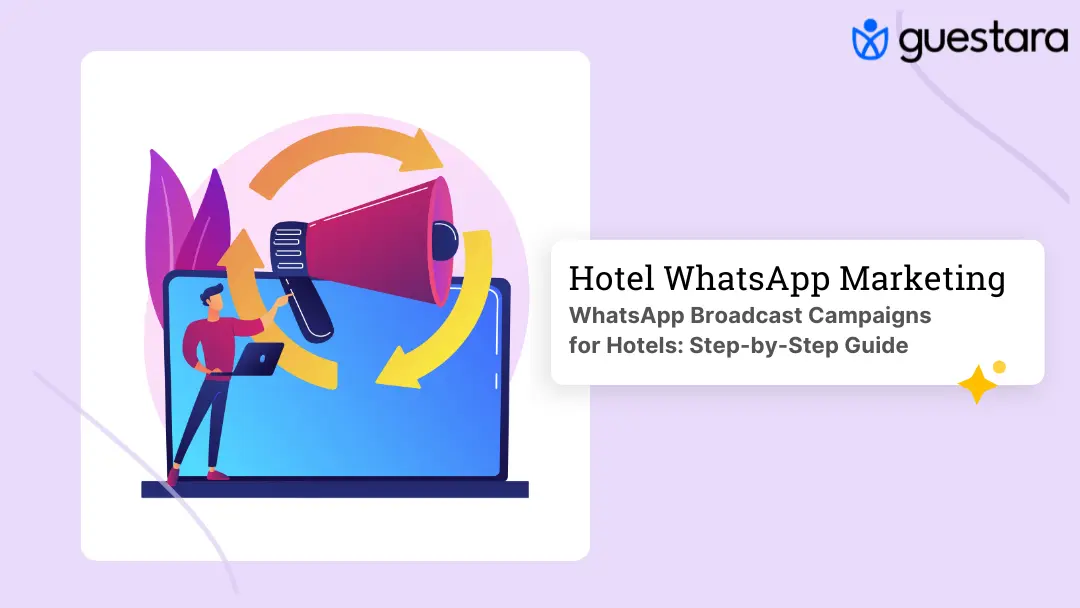
Most hotel marketing campaigns have the same problem. They reach people who are not ready to book, on a channel they are not paying attention to, with a message that does not feel relevant to them.
A WhatsApp broadcast campaign fixes all three of those problems at once.
Your past guests are already warm. WhatsApp is where they are paying attention. And a broadcast built on real guest data can be as specific as a message from someone who knows them.
This guide walks through exactly how to run a WhatsApp broadcast campaign for your hotel, from setting up your contact list to reading the results after the campaign sends. Every step is based on how it works inside Guestara's platform, so there is nothing theoretical here.
.webp)
A WhatsApp broadcast is a single message sent to multiple contacts simultaneously. Each recipient receives it as an individual message in their own chat, not as a group message. They cannot see who else received it. It reads like a message sent directly to them.
This is what makes broadcast different from a WhatsApp group. In a group, everyone sees everyone. In a broadcast, the experience is one-to-one even when you are sending to thousands.
WhatsApp broadcast campaigns convert at 15–25% on average across industries, and open rates run between 95–98% within 24 hours of sending. Email open rates for hotel marketing sit between 20–30%. The gap is not a marginal difference. It is a different category of result.
For hotels specifically, broadcast campaigns work across three distinct goals: filling low-occupancy windows with flash deals, reactivating past guests with return offers, and driving upsells to guests with confirmed upcoming bookings. The same mechanism, three different use cases, all running from one dashboard.
.webp)
Here is where most hotels waste their first week.
They decide to run a broadcast, get into the campaign builder, pick their audience, write their message, and then discover they cannot send anything because their message template has not been approved by Meta.
Every WhatsApp broadcast uses a pre-approved template. You cannot send free-form marketing messages at scale. The template needs to be submitted to Meta and approved before it can be used in any campaign.
Through Guestara's platform, template approval typically takes 1–2 hours. That is significantly faster than the multi-day timelines generic guides quote, because submissions go through an established API partner relationship. But it still means you cannot build the campaign and send it in the same sitting unless your templates are already approved and waiting.
The right sequence is: decide what campaigns you want to run, write and submit the templates for those campaigns, wait for approval, then build the campaign. Hotels that reverse this order always hit the same wall.
A good starting library for a hotel is 8–10 approved templates covering the campaign types you will actually use:
Get these approved once. Reuse them across multiple campaigns by swapping the specific details through merge fields.
Inside Guestara, the Campaigns section is where every broadcast is built and managed. The dashboard shows all campaigns across all types with their status, audience size, and creation date. Your account quality rating and messaging tier are visible at the top, along with your remaining daily quota.
When you click Launch to start a new campaign, Guestara asks you to select a campaign type. There are three options:
Broadcast — sends to contacts already in your Guestara contact database. You select and filter your audience from within the platform.
CSV Broadcast — lets you upload a fresh contact list as a CSV file. Useful when you are pulling a segment from your PMS or a spreadsheet that is not yet in your Guestara contacts. The platform maps your CSV column headers to the right fields automatically.
API Campaign — connects to external systems for automated sends. This is for trigger-based messaging rather than manual broadcast campaigns.
For most hotel broadcast campaigns, you will use Broadcast for your existing opted-in contact database or CSV Broadcast when running a campaign to a segment exported from your PMS.
The first screen inside the campaign builder asks for a Campaign Name and a Message Type.
Name the campaign in a way that tells you exactly what it was when you look back at analytics in three months. "Diwali Weekend Offer — Past Guests — Oct 2026" is useful. "Campaign 14" is not.
Message Type will show Pre-approved template message as the option. Select it. This is where the template you had approved in advance comes in. You cannot proceed without a template that has already passed Meta review.
This is the step that separates campaigns that convert from campaigns that get ignored.
The Select Audience screen in Guestara gives you filters across several dimensions:
Last Seen — filter by how recently a contact interacted with your WhatsApp channel. Options include the last 24 hours, this week, this month, or a custom date range. Use this to find active contacts for re-engagement campaigns or to exclude very recent conversations from a general broadcast.
Created At — filter by when the contact was added to your database. Useful for targeting newer opt-ins with a welcome offer or excluding very old contacts from a campaign designed for recent guests.
Opted In — set to Yes. Only send marketing broadcasts to contacts who have explicitly opted in. This is not optional. Sending to contacts without opt-in consent risks your account quality rating and can result in sending restrictions.
Incoming Blocked — set to No. Excludes contacts who have blocked your number.
Read Status — filter by whether previous messages were read, unread, or all. Useful for retargeting contacts who received a previous campaign but did not open it.
Attributes — where segmentation gets specific. Custom attributes let you filter by any data point attached to a contact: room type booked, spend level, stay date, loyalty status, occasion data like birthday month or anniversary date, booking source, and any other field you have mapped from your PMS.
A well-built audience filter for a birthday campaign might look like:
That segment is narrow, highly relevant, and converts at a fundamentally different rate than a broadcast sent to your entire contact list.
Hit Apply when your filters are set. The platform shows you the audience size before you proceed. If the number is too small or too large, adjust the filters and reapply.
The Create Message step is where you choose which approved template the campaign will use.
Your library of approved templates appears here. Select the one that matches this campaign. The template text is fixed — you cannot edit approved template copy here — but merge fields pull in dynamic data for each recipient automatically. A template that reads "Hi {{first_name}}, your stay at {{hotel_name}} is coming up on {{arrival_date}}" sends each guest a message with their own name, your hotel name, and their actual arrival date.
This is where WhatsApp broadcast stops feeling like a mass message and starts feeling like a personal one.
If you are using the CSV Broadcast type, this step also includes mapping your CSV column headers to the platform's contact fields. The platform presents your headers and asks you to match them to the corresponding fields — first name, phone number, any custom attributes — so the personalisation works correctly.
For media-rich templates, you can attach images, PDFs, or video files up to 5MB. A room upgrade offer with a photo of the available room converts significantly better than a text-only message. A seasonal package with an image of the property during that season lands differently than a generic text.
The Test Campaign step is where you send the message to yourself or a colleague before it goes to your full audience.
This step is not optional. It is the fastest way to catch a broken merge field, a wrong link, or a media file that does not load correctly. A broken link in a campaign sent to 2,000 past guests is not a small error. It is 2,000 missed conversions and a potential spike in opt-outs.
Send the test to at least two numbers on two different devices. Confirm the personalisation fields populate correctly. Confirm the link opens to the right page. Confirm the image loads. Confirm the CTA button works if the template includes one.
Only move to the next step when the test looks exactly as intended.
.webp)
The final step shows a complete preview of the campaign: audience size, template selected, message content, media attached, and any scheduled send time.
Guestara allows you to send immediately or schedule the campaign for a specific date and time. Scheduling matters more than most hotels realise.
A flash deal for a slow Thursday sent at 7pm Wednesday converts differently than the same message sent at 10am Wednesday. A weekend getaway offer sent on a Monday morning, when the guest is at their desk thinking about the week ahead, converts differently than the same offer sent on a Saturday afternoon when they are already out.
General timing guidance for hotel broadcast campaigns:
Once timing is set, review the preview one final time and hit Launch. The campaign enters the sending queue and Guestara begins distributing messages to your audience. For large lists, sending happens in batches to maintain your account quality rating. Your messaging tier determines how many messages can go out per 24 hours — Tier 3 allows up to 100,000 messages per day.
Every campaign in the dashboard is clickable. Tapping a campaign opens its detailed analytics view.
The numbers that matter for a broadcast campaign:
Delivered — what percentage of messages reached the recipient's device. Anything below 95% suggests contact list quality issues, wrong numbers, or contacts who have deleted WhatsApp.
Read rate — what percentage of delivered messages were opened. For a well-segmented campaign to opted-in past guests, this should run well above the 68% average for WhatsApp marketing messages. If read rate is low, the issue is either audience relevance or send timing.
Reply rate — guests who replied to the message are actively engaged. A reply opens a conversation window where your team can close the booking directly. High reply rate on a broadcast is a strong signal the offer resonated.
Conversion — track how many guests who received the campaign booked within 48–72 hours. This requires correlating campaign sends against direct bookings in your PMS for the same period. It is the only metric that proves the campaign generated real revenue rather than just engagement.
Opt-out rate — guests who replied STOP. A rising opt-out rate after a campaign means the message was not relevant enough to the audience, send frequency is too high, or both. One or two opt-outs per hundred sends is normal. Ten or more is a signal to review your segmentation and frequency before the next campaign.
Review analytics within 48 hours of every send. Do not wait until the next campaign to look at the data. The decisions that improve the next campaign — sharper segmentation, better timing, stronger offer — come from reading the previous one while the context is still fresh.
The mechanics of running a broadcast are straightforward. Guestara's campaign builder walks you through every step. What is harder to codify is the judgement that goes into the decisions around the mechanics.
A broadcast to 5,000 contacts sounds more powerful than one to 200. In practice, a highly targeted message to 200 guests with a birthday this month converts at a higher rate and generates fewer opt-outs than a generic offer to 5,000. Smaller, more specific segments consistently outperform larger, less relevant ones.
Hotel broadcast messages that try to communicate three things at once — upgrade offer, spa package, and review request — convert on none of them. Every high-performing broadcast has a single point. One offer. One link. One decision for the guest to make.
Only 12% of hotels currently use WhatsApp marketing strategically. The ones who try it and give up usually made the same mistake: they sent too many campaigns too quickly, exhausted their opt-in list, and concluded WhatsApp does not work. It works. The discipline is in how often you use it. Monthly is the right ceiling for most hotel databases. The channel is only valuable while guests are opted in.
A smaller list reached at exactly the right moment — the Monday a guest is thinking about their next trip, the week before a long weekend forms in their mind, ten days before their birthday — converts at a multiple of a larger list reached at the wrong time.
Guestara's platform allows you to run a follow-up campaign targeting contacts who received the original broadcast but did not reply or click. This retargeting audience is already warm — they received the message, they just did not act. A second, slightly different version of the offer to this segment captures bookings the first send missed.
A broadcast campaign that violates WhatsApp's rules does not just fail. It damages your account quality rating, reduces your daily sending limits, and in serious cases results in account suspension.
Three rules that are non-negotiable:
Every contact in your broadcast audience must have explicitly opted in to receive WhatsApp marketing messages from your hotel. Checking the Opted In: Yes filter in the audience builder is not enough on its own — you need to ensure your opt-in collection at booking or check-in is actually capturing consent before contacts enter the database.
You cannot send improvised marketing copy to a broadcast list. Every message uses a Meta-approved template. The approval process through Guestara takes 1–2 hours. There is no workaround and no shortcut.
When a guest replies STOP, they are removed from future broadcast lists. This is handled automatically by the platform. What you need to ensure is that you are not re-importing those contacts from a PMS export and overwriting their opt-out status in a future CSV upload.
Your account quality rating is visible at the top of the Campaigns dashboard. Keep it at High. A High rating at Tier 3 gives you 100,000 messages per 24 hours. A declining rating reduces that capacity and signals that WhatsApp is flagging your account for review.
Running your first broadcast campaign takes less than an hour once your templates are approved and your contacts are in the system. The system does the rest.
Guestara's hotel WhatsApp marketing platform handles the API connection, template approval, audience segmentation, scheduling, and analytics in one dashboard built specifically for hotels. Onboarding takes approximately one week.
Book a demo to see the campaign builder in action for a property like yours.


Learn how to run WhatsApp broadcast campaigns for hotels step by step. Build segments, get template approval, and send campaigns that drive direct bookings.
Most hotel marketing campaigns have the same problem. They reach people who are not ready to book, on a channel they are not paying attention to, with a message that does not feel relevant to them.
A WhatsApp broadcast campaign fixes all three of those problems at once.
Your past guests are already warm. WhatsApp is where they are paying attention. And a broadcast built on real guest data can be as specific as a message from someone who knows them.
This guide walks through exactly how to run a WhatsApp broadcast campaign for your hotel, from setting up your contact list to reading the results after the campaign sends. Every step is based on how it works inside Guestara's platform, so there is nothing theoretical here.
A WhatsApp broadcast is a single message sent to multiple contacts simultaneously. Each recipient receives it as an individual message in their own chat, not as a group message. They cannot see who else received it. It reads like a message sent directly to them.
This is what makes broadcast different from a WhatsApp group. In a group, everyone sees everyone. In a broadcast, the experience is one-to-one even when you are sending to thousands.
WhatsApp broadcast campaigns convert at 15–25% on average across industries, and open rates run between 95–98% within 24 hours of sending. Email open rates for hotel marketing sit between 20–30%. The gap is not a marginal difference. It is a different category of result.
For hotels specifically, broadcast campaigns work across three distinct goals: filling low-occupancy windows with flash deals, reactivating past guests with return offers, and driving upsells to guests with confirmed upcoming bookings. The same mechanism, three different use cases, all running from one dashboard.
Here is where most hotels waste their first week.
They decide to run a broadcast, get into the campaign builder, pick their audience, write their message, and then discover they cannot send anything because their message template has not been approved by Meta.
Every WhatsApp broadcast uses a pre-approved template. You cannot send free-form marketing messages at scale. The template needs to be submitted to Meta and approved before it can be used in any campaign.
Through Guestara's platform, template approval typically takes 1–2 hours. That is significantly faster than the multi-day timelines generic guides quote, because submissions go through an established API partner relationship. But it still means you cannot build the campaign and send it in the same sitting unless your templates are already approved and waiting.
The right sequence is: decide what campaigns you want to run, write and submit the templates for those campaigns, wait for approval, then build the campaign. Hotels that reverse this order always hit the same wall.
A good starting library for a hotel is 8–10 approved templates covering the campaign types you will actually use:
Get these approved once. Reuse them across multiple campaigns by swapping the specific details through merge fields.
Inside Guestara, the Campaigns section is where every broadcast is built and managed. The dashboard shows all campaigns across all types with their status, audience size, and creation date. Your account quality rating and messaging tier are visible at the top, along with your remaining daily quota.
When you click Launch to start a new campaign, Guestara asks you to select a campaign type. There are three options:
Broadcast — sends to contacts already in your Guestara contact database. You select and filter your audience from within the platform.
CSV Broadcast — lets you upload a fresh contact list as a CSV file. Useful when you are pulling a segment from your PMS or a spreadsheet that is not yet in your Guestara contacts. The platform maps your CSV column headers to the right fields automatically.
API Campaign — connects to external systems for automated sends. This is for trigger-based messaging rather than manual broadcast campaigns.
For most hotel broadcast campaigns, you will use Broadcast for your existing opted-in contact database or CSV Broadcast when running a campaign to a segment exported from your PMS.
The first screen inside the campaign builder asks for a Campaign Name and a Message Type.
Name the campaign in a way that tells you exactly what it was when you look back at analytics in three months. "Diwali Weekend Offer — Past Guests — Oct 2026" is useful. "Campaign 14" is not.
Message Type will show Pre-approved template message as the option. Select it. This is where the template you had approved in advance comes in. You cannot proceed without a template that has already passed Meta review.
This is the step that separates campaigns that convert from campaigns that get ignored.
The Select Audience screen in Guestara gives you filters across several dimensions:
Last Seen — filter by how recently a contact interacted with your WhatsApp channel. Options include the last 24 hours, this week, this month, or a custom date range. Use this to find active contacts for re-engagement campaigns or to exclude very recent conversations from a general broadcast.
Created At — filter by when the contact was added to your database. Useful for targeting newer opt-ins with a welcome offer or excluding very old contacts from a campaign designed for recent guests.
Opted In — set to Yes. Only send marketing broadcasts to contacts who have explicitly opted in. This is not optional. Sending to contacts without opt-in consent risks your account quality rating and can result in sending restrictions.
Incoming Blocked — set to No. Excludes contacts who have blocked your number.
Read Status — filter by whether previous messages were read, unread, or all. Useful for retargeting contacts who received a previous campaign but did not open it.
Attributes — where segmentation gets specific. Custom attributes let you filter by any data point attached to a contact: room type booked, spend level, stay date, loyalty status, occasion data like birthday month or anniversary date, booking source, and any other field you have mapped from your PMS.
A well-built audience filter for a birthday campaign might look like:
That segment is narrow, highly relevant, and converts at a fundamentally different rate than a broadcast sent to your entire contact list.
Hit Apply when your filters are set. The platform shows you the audience size before you proceed. If the number is too small or too large, adjust the filters and reapply.
The Create Message step is where you choose which approved template the campaign will use.
Your library of approved templates appears here. Select the one that matches this campaign. The template text is fixed — you cannot edit approved template copy here — but merge fields pull in dynamic data for each recipient automatically. A template that reads "Hi {{first_name}}, your stay at {{hotel_name}} is coming up on {{arrival_date}}" sends each guest a message with their own name, your hotel name, and their actual arrival date.
This is where WhatsApp broadcast stops feeling like a mass message and starts feeling like a personal one.
If you are using the CSV Broadcast type, this step also includes mapping your CSV column headers to the platform's contact fields. The platform presents your headers and asks you to match them to the corresponding fields — first name, phone number, any custom attributes — so the personalisation works correctly.
For media-rich templates, you can attach images, PDFs, or video files up to 5MB. A room upgrade offer with a photo of the available room converts significantly better than a text-only message. A seasonal package with an image of the property during that season lands differently than a generic text.
The Test Campaign step is where you send the message to yourself or a colleague before it goes to your full audience.
This step is not optional. It is the fastest way to catch a broken merge field, a wrong link, or a media file that does not load correctly. A broken link in a campaign sent to 2,000 past guests is not a small error. It is 2,000 missed conversions and a potential spike in opt-outs.
Send the test to at least two numbers on two different devices. Confirm the personalisation fields populate correctly. Confirm the link opens to the right page. Confirm the image loads. Confirm the CTA button works if the template includes one.
Only move to the next step when the test looks exactly as intended.
The final step shows a complete preview of the campaign: audience size, template selected, message content, media attached, and any scheduled send time.
Guestara allows you to send immediately or schedule the campaign for a specific date and time. Scheduling matters more than most hotels realise.
A flash deal for a slow Thursday sent at 7pm Wednesday converts differently than the same message sent at 10am Wednesday. A weekend getaway offer sent on a Monday morning, when the guest is at their desk thinking about the week ahead, converts differently than the same offer sent on a Saturday afternoon when they are already out.
General timing guidance for hotel broadcast campaigns:
Once timing is set, review the preview one final time and hit Launch. The campaign enters the sending queue and Guestara begins distributing messages to your audience. For large lists, sending happens in batches to maintain your account quality rating. Your messaging tier determines how many messages can go out per 24 hours — Tier 3 allows up to 100,000 messages per day.
Every campaign in the dashboard is clickable. Tapping a campaign opens its detailed analytics view.
The numbers that matter for a broadcast campaign:
Delivered — what percentage of messages reached the recipient's device. Anything below 95% suggests contact list quality issues, wrong numbers, or contacts who have deleted WhatsApp.
Read rate — what percentage of delivered messages were opened. For a well-segmented campaign to opted-in past guests, this should run well above the 68% average for WhatsApp marketing messages. If read rate is low, the issue is either audience relevance or send timing.
Reply rate — guests who replied to the message are actively engaged. A reply opens a conversation window where your team can close the booking directly. High reply rate on a broadcast is a strong signal the offer resonated.
Conversion — track how many guests who received the campaign booked within 48–72 hours. This requires correlating campaign sends against direct bookings in your PMS for the same period. It is the only metric that proves the campaign generated real revenue rather than just engagement.
Opt-out rate — guests who replied STOP. A rising opt-out rate after a campaign means the message was not relevant enough to the audience, send frequency is too high, or both. One or two opt-outs per hundred sends is normal. Ten or more is a signal to review your segmentation and frequency before the next campaign.
Review analytics within 48 hours of every send. Do not wait until the next campaign to look at the data. The decisions that improve the next campaign — sharper segmentation, better timing, stronger offer — come from reading the previous one while the context is still fresh.
The mechanics of running a broadcast are straightforward. Guestara's campaign builder walks you through every step. What is harder to codify is the judgement that goes into the decisions around the mechanics.
A broadcast to 5,000 contacts sounds more powerful than one to 200. In practice, a highly targeted message to 200 guests with a birthday this month converts at a higher rate and generates fewer opt-outs than a generic offer to 5,000. Smaller, more specific segments consistently outperform larger, less relevant ones.
Hotel broadcast messages that try to communicate three things at once — upgrade offer, spa package, and review request — convert on none of them. Every high-performing broadcast has a single point. One offer. One link. One decision for the guest to make.
Only 12% of hotels currently use WhatsApp marketing strategically. The ones who try it and give up usually made the same mistake: they sent too many campaigns too quickly, exhausted their opt-in list, and concluded WhatsApp does not work. It works. The discipline is in how often you use it. Monthly is the right ceiling for most hotel databases. The channel is only valuable while guests are opted in.
A smaller list reached at exactly the right moment — the Monday a guest is thinking about their next trip, the week before a long weekend forms in their mind, ten days before their birthday — converts at a multiple of a larger list reached at the wrong time.
Guestara's platform allows you to run a follow-up campaign targeting contacts who received the original broadcast but did not reply or click. This retargeting audience is already warm — they received the message, they just did not act. A second, slightly different version of the offer to this segment captures bookings the first send missed.
A broadcast campaign that violates WhatsApp's rules does not just fail. It damages your account quality rating, reduces your daily sending limits, and in serious cases results in account suspension.
Three rules that are non-negotiable:
Every contact in your broadcast audience must have explicitly opted in to receive WhatsApp marketing messages from your hotel. Checking the Opted In: Yes filter in the audience builder is not enough on its own — you need to ensure your opt-in collection at booking or check-in is actually capturing consent before contacts enter the database.
You cannot send improvised marketing copy to a broadcast list. Every message uses a Meta-approved template. The approval process through Guestara takes 1–2 hours. There is no workaround and no shortcut.
When a guest replies STOP, they are removed from future broadcast lists. This is handled automatically by the platform. What you need to ensure is that you are not re-importing those contacts from a PMS export and overwriting their opt-out status in a future CSV upload.
Your account quality rating is visible at the top of the Campaigns dashboard. Keep it at High. A High rating at Tier 3 gives you 100,000 messages per 24 hours. A declining rating reduces that capacity and signals that WhatsApp is flagging your account for review.
Running your first broadcast campaign takes less than an hour once your templates are approved and your contacts are in the system. The system does the rest.
Guestara's hotel WhatsApp marketing platform handles the API connection, template approval, audience segmentation, scheduling, and analytics in one dashboard built specifically for hotels. Onboarding takes approximately one week.
Book a demo to see the campaign builder in action for a property like yours.
A WhatsApp broadcast campaign is a single message sent simultaneously to multiple opted-in contacts, where each recipient receives it as an individual message in their own chat rather than as a group message. For hotels, broadcast campaigns are used to send promotional offers, flash deals, seasonal packages, and win-back messages to past guests. Because WhatsApp messages are read by 95–98% of recipients within 24 hours, broadcast campaigns reach guests at a level email cannot match, making them one of the most effective tools for driving direct bookings from an existing guest database.
Yes. The free WhatsApp Business app limits broadcast lists to 256 contacts and requires every recipient to have your number saved. The WhatsApp Business API removes both restrictions and adds automation, scheduling, analytics, multi-agent access, and PMS integration. Any hotel running broadcast campaigns at meaningful scale needs the API. Platforms like Guestara provide API access built specifically for hospitality, including template approval workflow, audience segmentation, and campaign analytics in a single dashboard.
Through Guestara's platform, Meta template approval typically takes 1–2 hours. Generic guides often quote 2–10 days, which reflects the experience of businesses applying through slower channels. The practical implication for hotels is to submit templates before you plan to run a campaign rather than on the same day. Building a library of 8–10 approved templates covering your main campaign types means you are never blocked when you want to launch.
There is no fixed cap on broadcast audience size when using the WhatsApp Business API. What determines your daily sending volume is your messaging tier. Tier 1 allows 1,000 business-initiated conversations per 24 hours, Tier 2 allows 10,000, and Tier 3 allows 100,000. Tier upgrades happen automatically as your account builds a track record of compliant sending and positive guest engagement. Most hotels operating at scale reach Tier 3 within a few months of consistent use.
WhatsApp open rates for opted-in contacts typically run between 68% and 98% depending on audience quality, message relevance, and send timing. A well-segmented hotel broadcast to recent past guests with a relevant, timely offer should comfortably exceed the 68% average. If your open rates are significantly below that, the likely causes are audience relevance, a mismatch between the offer and the segment, or poor send timing. Review your segmentation and timing before increasing campaign frequency.
We work closely with the industry leaders to offer seamless solutions




We’re here to help your whole team stay ahead of the curve as you grow.

Get up and running quickly with a personalized onboarding plan

Connect with real people who really get it, 24/7

Checkout our vast library of free resources, templates and more
There's only so much we can say — so let us show you! Schedule a demo today and reach your business goals.


.png)