Complete guide to hotel guest messaging and journey automation. Learn how to implement messaging across the entire guest lifecycle to increase satisfaction and revenue.




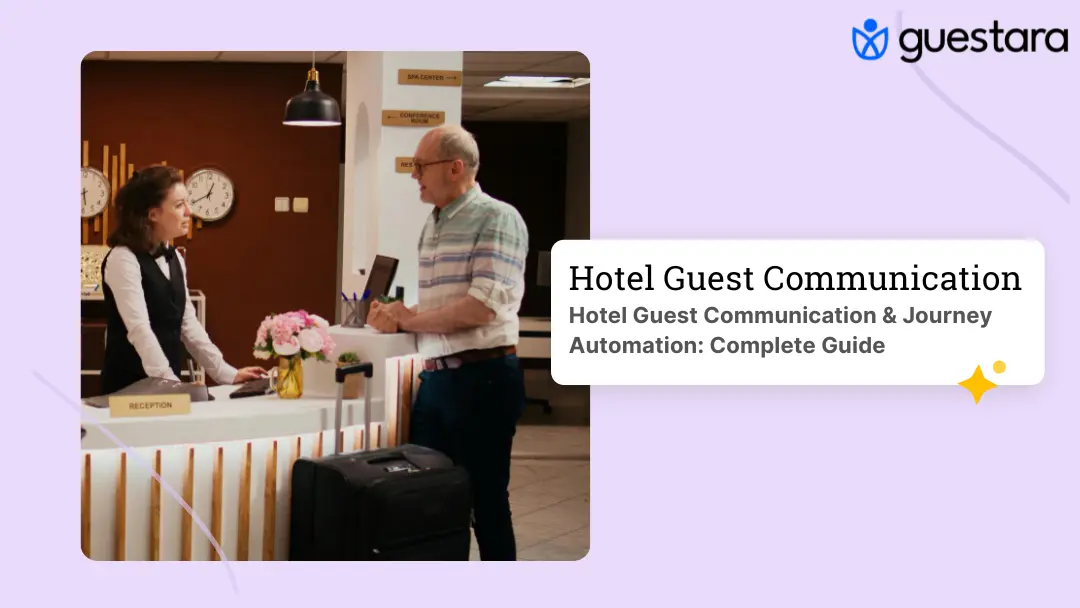
Guest messaging isn't a feature. It's a fundamental shift in how modern hotels operate.
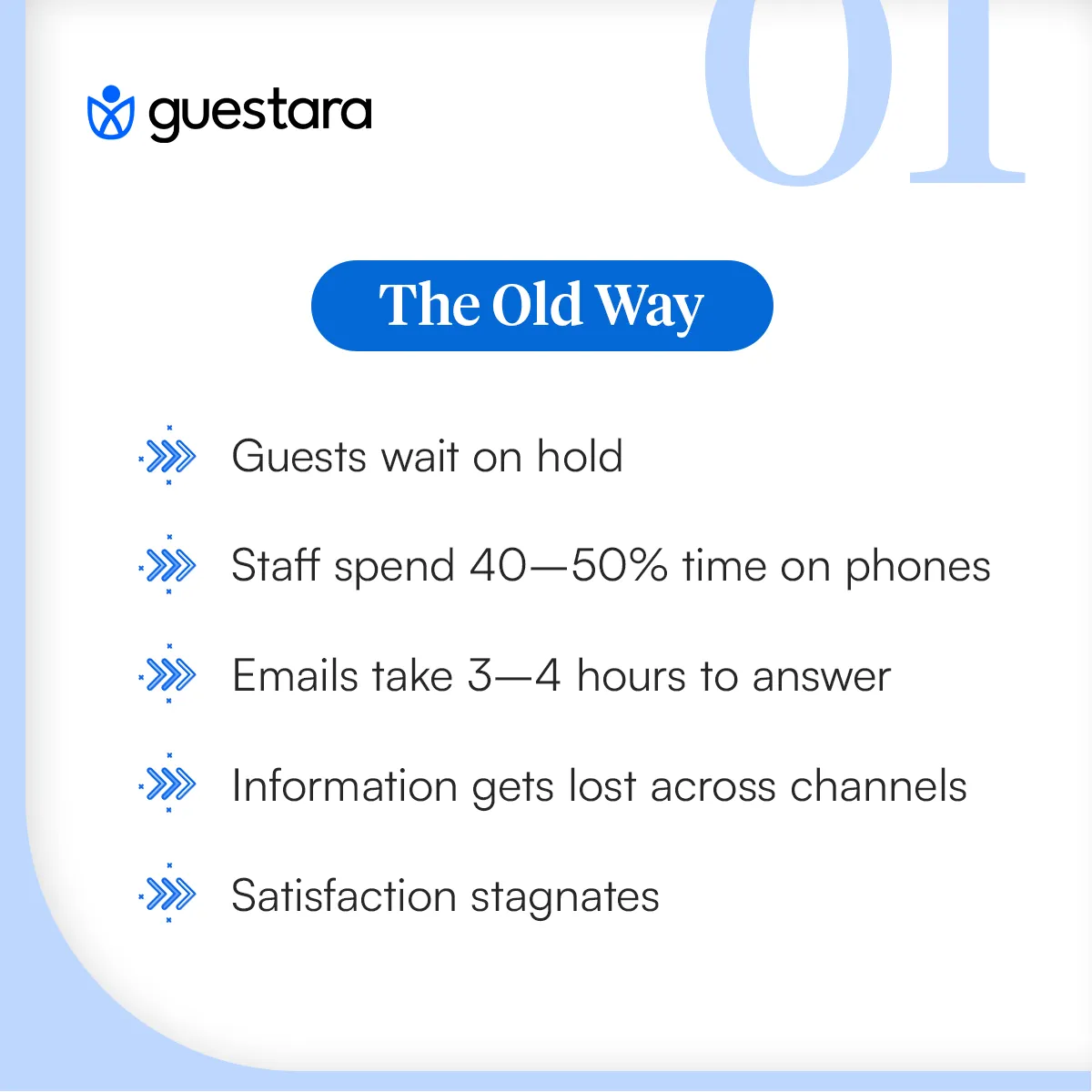
Five years ago, hotels managed guest communication through phones, emails, and front desk conversations. Staff spent 40-50% of their time answering routine questions. Guests waited on hold. Information got lost. Satisfaction scores stagnated.
Today, forward-thinking hotels have restructured their entire communication architecture around messaging. Guests WhatsApp a question and get an answer in 5 minutes. Check-in happens digitally before they walk in. Room service requests move through unified systems that automatically route to the right department. Post-stay follow-ups are personalized and automated.
The hotels doing this are seeing measurable results: satisfaction scores up 8-12%, staff efficiency up 20-30%, ancillary revenue up 5-15%, and repeat booking rates up 10+ points.
This guide walks you through the complete picture. What guest messaging is, why it matters, how to implement it, and what it means for your bottom line.
Hotel guest messaging is direct, real-time communication between guests and your property through channels like WhatsApp, SMS, email, and in-app platforms.
Unlike traditional phone calls—which require both parties to be available simultaneously—messaging is asynchronous. A guest sends a message whenever it's convenient. Your team responds when they have capacity. The conversation is documented, searchable, and tied to the reservation.
A guest arrives at 11 PM and realizes they need a crib. They don't call the front desk and wait on hold. They send a WhatsApp message: "Can we get a crib in our room?" Your night auditor sees it on their unified inbox, confirms availability, and replies within two minutes. The guest feels heard. The request is logged. Housekeeping is automatically notified.
That's guest messaging in practice.
Three forces are driving this shift.
First: Guest expectations have fundamentally changed.
A guest books a flight and receives a WhatsApp confirmation from the airline. They order food and get SMS status updates. They call an Uber and communicate entirely through the app.
By the time they arrive at your hotel, they've internalized that messaging is the normal way to interact with service businesses. When your hotel makes them call the front desk instead, it feels outdated.
Research from Forrester shows that consumers now expect response times under one hour. For guests in your property right now, one hour is too slow. They expect 5-15 minute responses.
Second: Messaging is operationally superior to phone calls.
Phones create bottlenecks. During check-in rush, your front desk is overwhelmed. Guests can't reach anyone. Calls roll to voicemail. Messages pile up. Your team's attention is fractured across five different communication tools.
Messaging eliminates this fragmentation. When all guest communication—SMS, WhatsApp, email, in-app—lands in one unified inbox, your team handles it seamlessly. The person with availability responds. No phone hold times. No missed emails. No information silos.
Hotels implementing unified messaging report response times dropping from 3-4 hours to 5-15 minutes. That speed directly correlates with guest satisfaction.
Third: Guest messaging drives revenue.
When you're communicating with guests through messaging channels, there are natural moments to upsell. A guest messaging about dining gets offered your wine pairing menu. A guest checking in learns about available room upgrades. A guest checking out gets offered a return-visit discount.
This context-aware upselling, done respectfully, increases ancillary revenue by 5-15%. It doesn't feel salesy because the offer is relevant to what the guest is already asking about.
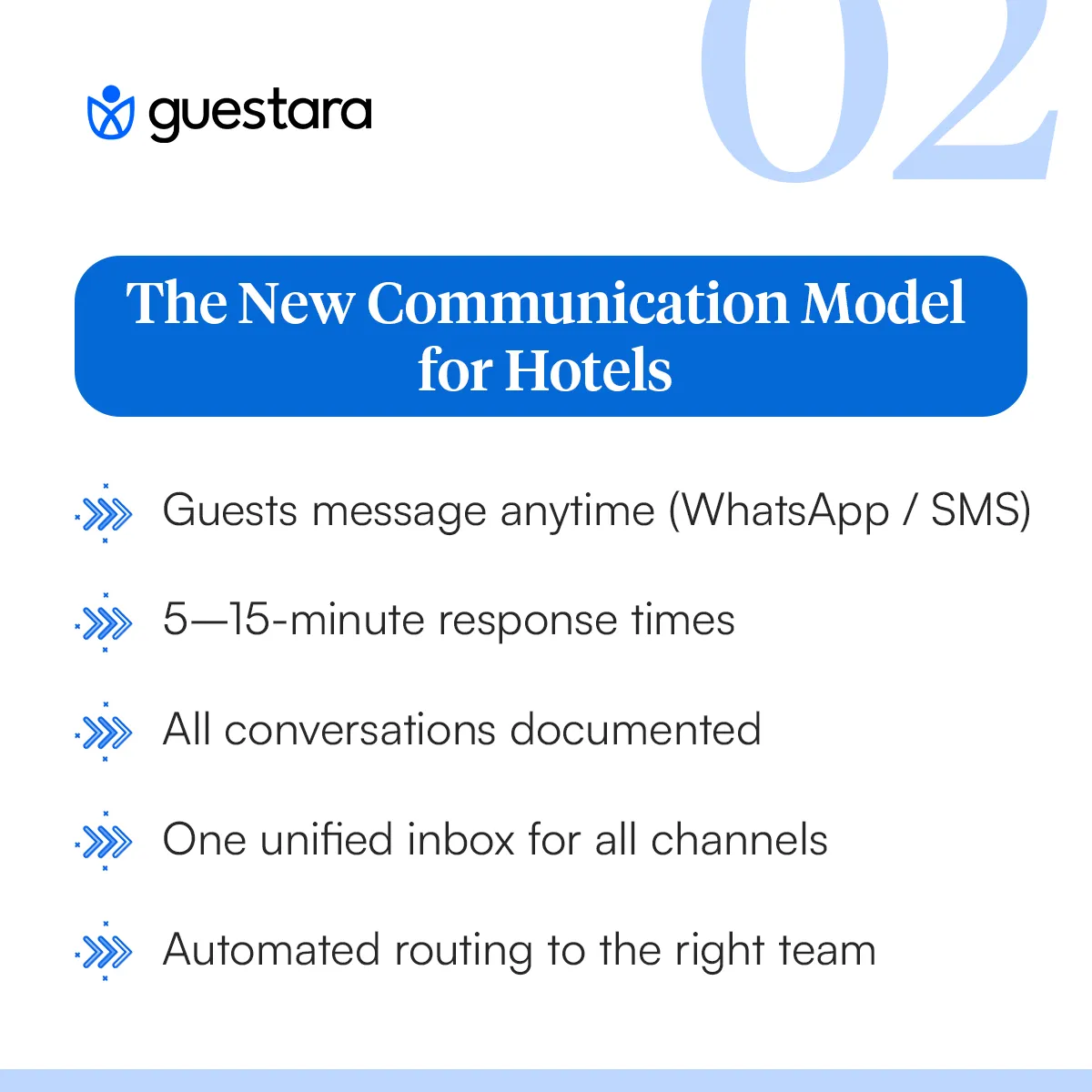
Implementing guest messaging successfully requires understanding three interconnected layers.
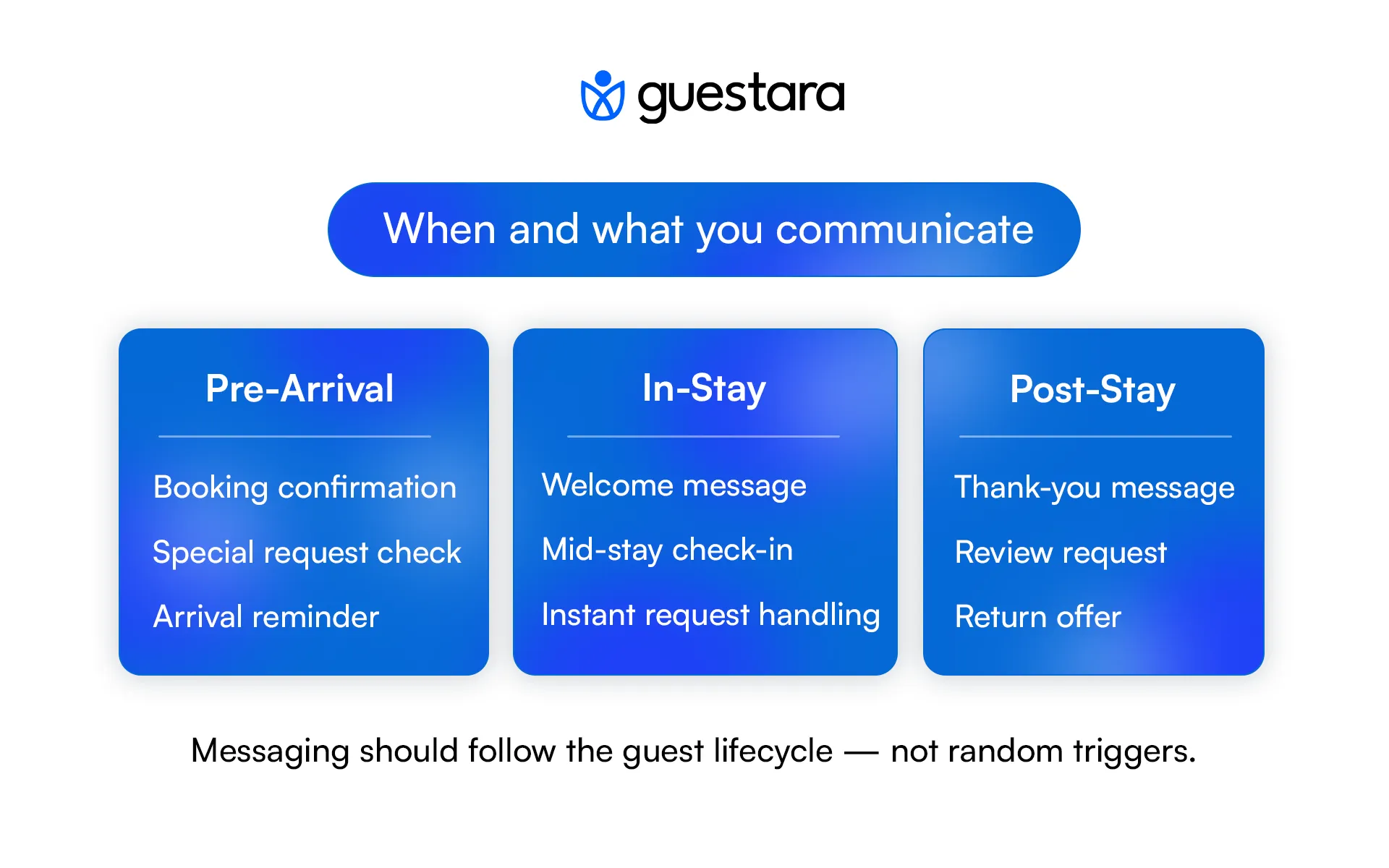
Guest journey automation is about anticipating what guests need at each stage and communicating proactively.
Pre-arrival (7 days before to day of arrival)
Guests book. They're not in your property yet, but they're already forming expectations.
Day 1: Send confirmation with check-in link (email) Day 5: Ask about special requests (WhatsApp or SMS) Day 2: Send pre-arrival information (PDF via email or WhatsApp) Day of: Confirm arrival time and provide digital key (WhatsApp)
In-stay (During their time at property)
Guests are in your hotel. Communication style shifts from preparation to support.
Welcome message with WiFi password, restaurant info, emergency contacts Mid-stay check-in: "How's everything? Anything we can help with?" Guest-initiated requests: Answer in 5-15 minutes via unified inbox Proactive service: "We noticed you requested WiFi troubleshooting. Here's the solution."
Post-stay (24 hours after checkout onward)
The guest experience is fresh. Their decision about returning hasn't been finalized.
24-hour follow-up: "Thanks for staying. We'd love your feedback." Review request: Direct link to Google, TripAdvisor, Facebook Return incentive: "We have a special offer for your next visit."
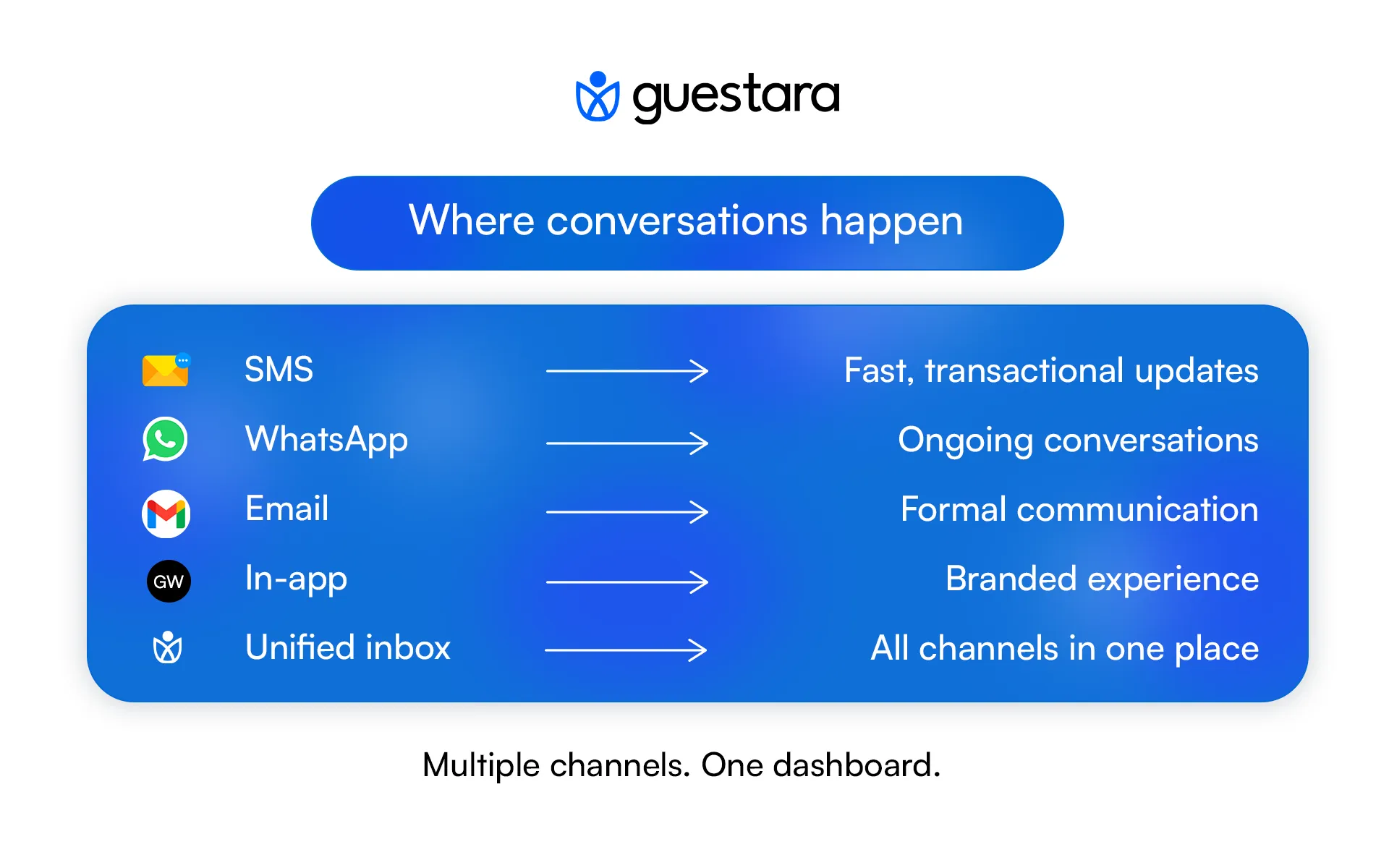
Different channels serve different purposes. The best approach supports multiple channels but consolidates them into one dashboard.
SMS/Text Messaging
In-app Messaging
Unified Inbox
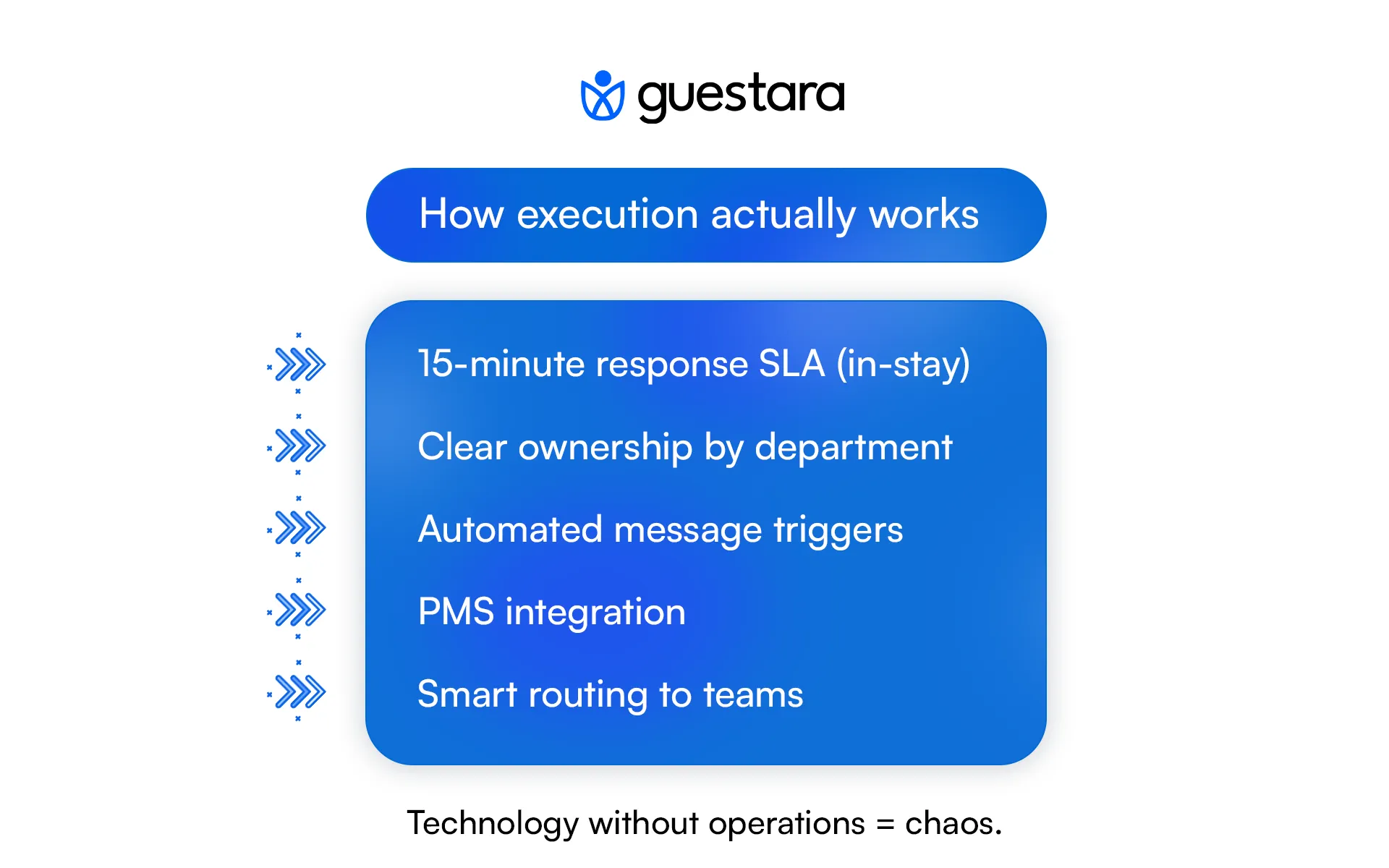
Messaging only works if your operations support it. This means systems, staff alignment, and automation.
Team Structure
Automation
Integrations
Implementation doesn't have to be complicated. A phased approach prevents overwhelm while building momentum.
Start with one channel. Choose the one your guests are most likely to use.
For most hotels, that's WhatsApp. For some, SMS. For business hotels, email might be the entry point.
Set up a unified inbox where all messages from that channel land on one screen. Train your team to use it. Don't automate anything yet. Just respond manually.
Metrics to track: average response time, response rate, team adoption
Success looks like: Response times under 30 minutes, 100% of messages getting responses
Set up two automated messages:
Keep them simple. Just information. No upselling yet.
Test with a few reservations. Refine based on feedback.
Metrics to track: message open rate, any guest complaints, team feedback
Success looks like: 70%+ of guests reading the messages, no negative feedback
Add a second channel. Usually email integration (so incoming emails appear in the same inbox) or SMS.
Your team now sees multiple channels in one place.
Metrics to track: which channel gets more engagement, response times, team adoption of new channel
Success looks like: 60%+ of guests using the new channel for routine inquiries
Set up filters so messages route to the right team:
This prevents messages from getting stuck or forgotten.
Metrics to track: message response time by channel, resolution rate, team workload distribution
Success looks like: 90%+ of messages getting appropriate response within 15 minutes
Set up automated follow-up messages:
Metrics to track: review submission rate, click-through rates, return booking rate
Success looks like: 40%+ review submission rate (vs. 5-10% industry average for unsolicited reviews)
Use guest data to personalize messages. If a guest requested early breakfast last visit, mention it this visit. If they had an issue, proactively offer the solution.
This is where messaging becomes genuinely personal at scale.
Metrics to track: repeat booking rate, ancillary revenue per guest, NPS score
Success looks like: 20%+ increase in repeat bookings, 10-15% increase in ancillary revenue
Integrate upselling into messaging:
Do this respectfully. Don't spam. Make offers relevant to the guest's profile.
Metrics to track: upsell conversion rate, ancillary revenue impact, guest satisfaction (ensure upsells don't reduce satisfaction)
Success looks like: 5-15% increase in ancillary revenue without decreasing satisfaction scores
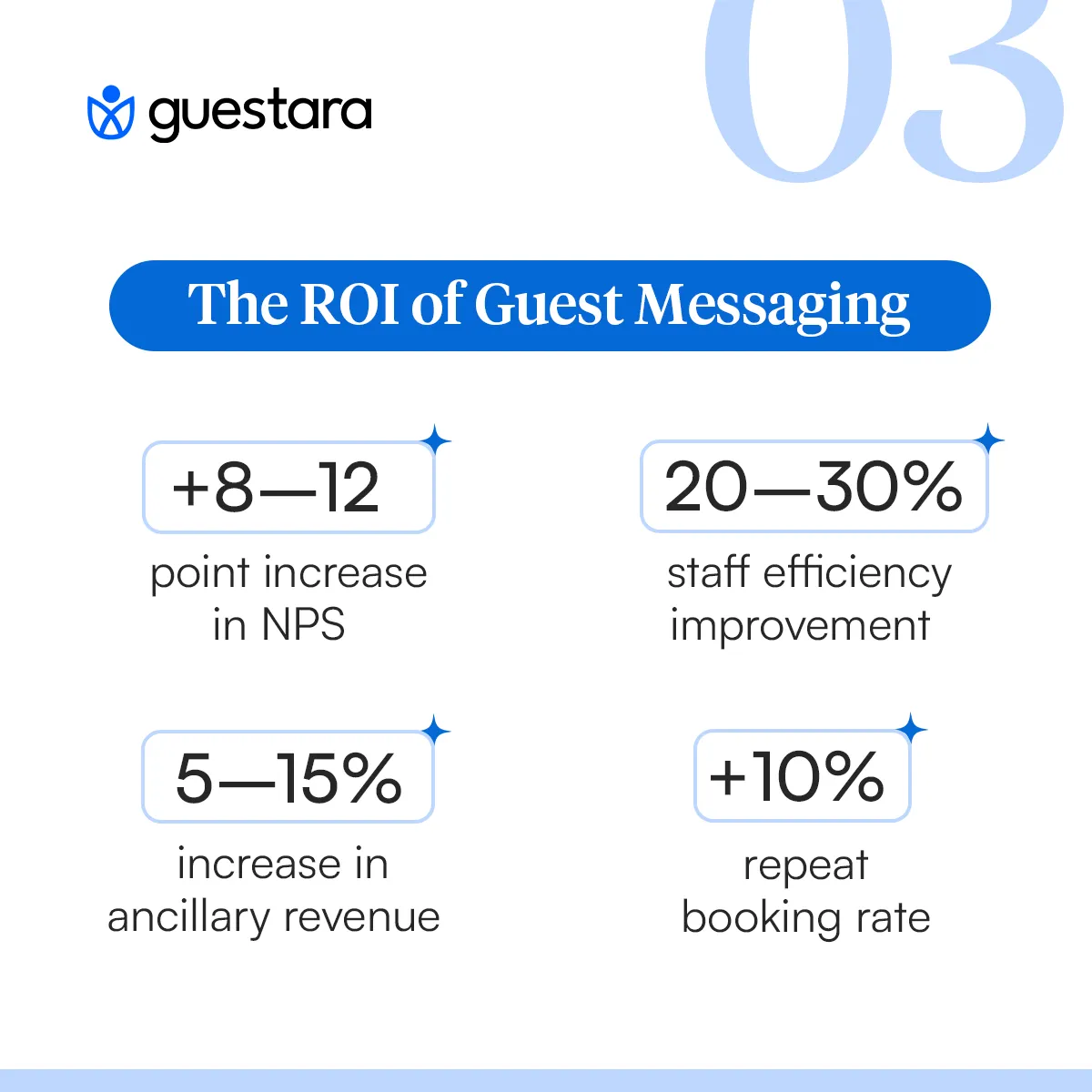
What actually changes when hotels implement guest messaging?
Hotels implementing unified messaging report NPS (Net Promoter Score) improvements of 8-12 points within the first quarter. Why?
Front desk teams spend 40-50% of their time on phones before messaging. After implementation, that drops to 10-15%.
The freed-up time isn't wasted. Staff handle more guests with the same number of people. Or they shift focus to service recovery and personalization—work that actually drives satisfaction.
Housekeeping also benefits. Requests come through in organized queues instead of fragmented radio calls. Turnaround times improve.
Three sources of revenue improvement:
Hotels implementing messaging typically see:
In a market where many hotels offer similar rooms at similar prices, response time and personalization are differentiators.
A guest comparing two hotels finds one responds to WhatsApp messages in 10 minutes. The other takes 24 hours via email. The guest books the first one.
Messaging becomes the deciding factor.
Understanding what not to do is as important as understanding what to do.
Hotels sometimes set up 15 automated messages before their team can handle basic responses. Guests feel bombarded and impersonal.
Start with 2 automated messages. Get comfortable. Add gradually.
A new messaging system arrives. The team wasn't trained. They don't know how to use it. They respond slowly. Guests get frustrated. The project fails.
Budget 2-3 hours of training per team member before launch. Do practice runs.
A hotel thinks they can respond to WhatsApp messages within 4 hours like email. Guests expect 15 minutes. The disconnect creates dissatisfaction.
Set clear SLAs: respond to in-stay guest messages within 15 minutes during business hours, 1 hour after hours.
Messages come in. Your team manually looks up reservation details. Slow, error-prone, frustrating.
Your messaging system should pull guest information directly from your PMS.
Messaging doesn't eliminate phones. Guests with complex issues or urgent needs still call.
The goal is rebalancing. Phones handle 10% of volume (complex/urgent). Messaging handles 90% (routine/transactional).
A VIP guest and a budget guest get the same generic response time. The VIP guest gets frustrated.
Use messaging data to segment guests. VIP guests get 5-minute response times. Standard guests get 15-minute targets.
What metrics actually matter?
Average time from when a guest sends a message to when they get a response.
Target: 5-15 minutes during business hours for in-stay guests
This is the single biggest driver of satisfaction. Get this right, and everything else improves.
Percentage of messages that get a response (vs. being ignored).
Target: 95%+ of messages answered
A message that goes unanswered destroys satisfaction more than a late response.
Net Promoter Score: ask guests how likely they are to recommend you.
Expected improvement: +8-12 points within 3 months of implementation
Percentage of guests who stay again.
Expected improvement: +10-15% from guests using messaging vs. non-messaging guests
Revenue from room upgrades, dining, services, experiences.
Expected improvement: +5-15% from messaging-enabled upsells
Revenue per staff member, guests handled per shift, time per guest interaction.
Expected improvement: +20-30% efficiency gain
Percentage of messages handled by automation vs. manual responses.
Target: 60-70% of routine messages (confirmations, check-in, review requests, etc.) should be automated
This isn't the end state. Guest messaging is evolving.
What's coming next:
AI-powered conversations: Guests message questions, AI handles 80%, complex issues route to humans
Voice and video support: Some guests will prefer voice messages or video support for complex issues
Proactive service: Room sensors detect temperature issues, system messages guest before they complain
Multi-property coordination: A guest staying at property A learns about sister properties, gets seamless communication across all
Smart recommendations: Messaging AI learns guest preferences and suggests services
Integrated experience: Room controls, messaging, and services all connected in one app
The hotels prepared today will lead tomorrow. Those that master guest messaging now will easily adopt these innovations.
The question isn't whether to implement guest messaging. It's whether to do it now or let competitors pull ahead.
Implementation is straightforward:
Most hotels see positive ROI within 1-3 months. The efficiency gains alone pay for the system. Revenue improvements are bonus.
The hotels waiting for "perfect conditions" are losing guests to competitors responding faster and personalizing better today.
Your next step: Audit your current guest communication. Count how many messages go unanswered. Measure response times. Survey staff about communication frustration. The numbers will tell you what you already know: change is overdue.
Then implement. Start simple. Build momentum. Measure results.
The hotels doing this today are the ones winning tomorrow.


Complete guide to hotel guest messaging and journey automation. Learn how to implement messaging across the entire guest lifecycle to increase satisfaction and revenue.
Guest messaging isn't a feature. It's a fundamental shift in how modern hotels operate.
Five years ago, hotels managed guest communication through phones, emails, and front desk conversations. Staff spent 40-50% of their time answering routine questions. Guests waited on hold. Information got lost. Satisfaction scores stagnated.
Today, forward-thinking hotels have restructured their entire communication architecture around messaging. Guests WhatsApp a question and get an answer in 5 minutes. Check-in happens digitally before they walk in. Room service requests move through unified systems that automatically route to the right department. Post-stay follow-ups are personalized and automated.
The hotels doing this are seeing measurable results: satisfaction scores up 8-12%, staff efficiency up 20-30%, ancillary revenue up 5-15%, and repeat booking rates up 10+ points.
This guide walks you through the complete picture. What guest messaging is, why it matters, how to implement it, and what it means for your bottom line.
Hotel guest messaging is direct, real-time communication between guests and your property through channels like WhatsApp, SMS, email, and in-app platforms.
Unlike traditional phone calls—which require both parties to be available simultaneously—messaging is asynchronous. A guest sends a message whenever it's convenient. Your team responds when they have capacity. The conversation is documented, searchable, and tied to the reservation.
A guest arrives at 11 PM and realizes they need a crib. They don't call the front desk and wait on hold. They send a WhatsApp message: "Can we get a crib in our room?" Your night auditor sees it on their unified inbox, confirms availability, and replies within two minutes. The guest feels heard. The request is logged. Housekeeping is automatically notified.
That's guest messaging in practice.
Three forces are driving this shift.
First: Guest expectations have fundamentally changed.
A guest books a flight and receives a WhatsApp confirmation from the airline. They order food and get SMS status updates. They call an Uber and communicate entirely through the app.
By the time they arrive at your hotel, they've internalized that messaging is the normal way to interact with service businesses. When your hotel makes them call the front desk instead, it feels outdated.
Research from Forrester shows that consumers now expect response times under one hour. For guests in your property right now, one hour is too slow. They expect 5-15 minute responses.
Second: Messaging is operationally superior to phone calls.
Phones create bottlenecks. During check-in rush, your front desk is overwhelmed. Guests can't reach anyone. Calls roll to voicemail. Messages pile up. Your team's attention is fractured across five different communication tools.
Messaging eliminates this fragmentation. When all guest communication—SMS, WhatsApp, email, in-app—lands in one unified inbox, your team handles it seamlessly. The person with availability responds. No phone hold times. No missed emails. No information silos.
Hotels implementing unified messaging report response times dropping from 3-4 hours to 5-15 minutes. That speed directly correlates with guest satisfaction.
Third: Guest messaging drives revenue.
When you're communicating with guests through messaging channels, there are natural moments to upsell. A guest messaging about dining gets offered your wine pairing menu. A guest checking in learns about available room upgrades. A guest checking out gets offered a return-visit discount.
This context-aware upselling, done respectfully, increases ancillary revenue by 5-15%. It doesn't feel salesy because the offer is relevant to what the guest is already asking about.
Implementing guest messaging successfully requires understanding three interconnected layers.
Guest journey automation is about anticipating what guests need at each stage and communicating proactively.
Pre-arrival (7 days before to day of arrival)
Guests book. They're not in your property yet, but they're already forming expectations.
Day 1: Send confirmation with check-in link (email) Day 5: Ask about special requests (WhatsApp or SMS) Day 2: Send pre-arrival information (PDF via email or WhatsApp) Day of: Confirm arrival time and provide digital key (WhatsApp)
In-stay (During their time at property)
Guests are in your hotel. Communication style shifts from preparation to support.
Welcome message with WiFi password, restaurant info, emergency contacts Mid-stay check-in: "How's everything? Anything we can help with?" Guest-initiated requests: Answer in 5-15 minutes via unified inbox Proactive service: "We noticed you requested WiFi troubleshooting. Here's the solution."
Post-stay (24 hours after checkout onward)
The guest experience is fresh. Their decision about returning hasn't been finalized.
24-hour follow-up: "Thanks for staying. We'd love your feedback." Review request: Direct link to Google, TripAdvisor, Facebook Return incentive: "We have a special offer for your next visit."
Different channels serve different purposes. The best approach supports multiple channels but consolidates them into one dashboard.
SMS/Text Messaging
In-app Messaging
Unified Inbox
Messaging only works if your operations support it. This means systems, staff alignment, and automation.
Team Structure
Automation
Integrations
Implementation doesn't have to be complicated. A phased approach prevents overwhelm while building momentum.
Start with one channel. Choose the one your guests are most likely to use.
For most hotels, that's WhatsApp. For some, SMS. For business hotels, email might be the entry point.
Set up a unified inbox where all messages from that channel land on one screen. Train your team to use it. Don't automate anything yet. Just respond manually.
Metrics to track: average response time, response rate, team adoption
Success looks like: Response times under 30 minutes, 100% of messages getting responses
Set up two automated messages:
Keep them simple. Just information. No upselling yet.
Test with a few reservations. Refine based on feedback.
Metrics to track: message open rate, any guest complaints, team feedback
Success looks like: 70%+ of guests reading the messages, no negative feedback
Add a second channel. Usually email integration (so incoming emails appear in the same inbox) or SMS.
Your team now sees multiple channels in one place.
Metrics to track: which channel gets more engagement, response times, team adoption of new channel
Success looks like: 60%+ of guests using the new channel for routine inquiries
Set up filters so messages route to the right team:
This prevents messages from getting stuck or forgotten.
Metrics to track: message response time by channel, resolution rate, team workload distribution
Success looks like: 90%+ of messages getting appropriate response within 15 minutes
Set up automated follow-up messages:
Metrics to track: review submission rate, click-through rates, return booking rate
Success looks like: 40%+ review submission rate (vs. 5-10% industry average for unsolicited reviews)
Use guest data to personalize messages. If a guest requested early breakfast last visit, mention it this visit. If they had an issue, proactively offer the solution.
This is where messaging becomes genuinely personal at scale.
Metrics to track: repeat booking rate, ancillary revenue per guest, NPS score
Success looks like: 20%+ increase in repeat bookings, 10-15% increase in ancillary revenue
Integrate upselling into messaging:
Do this respectfully. Don't spam. Make offers relevant to the guest's profile.
Metrics to track: upsell conversion rate, ancillary revenue impact, guest satisfaction (ensure upsells don't reduce satisfaction)
Success looks like: 5-15% increase in ancillary revenue without decreasing satisfaction scores
What actually changes when hotels implement guest messaging?
Hotels implementing unified messaging report NPS (Net Promoter Score) improvements of 8-12 points within the first quarter. Why?
Front desk teams spend 40-50% of their time on phones before messaging. After implementation, that drops to 10-15%.
The freed-up time isn't wasted. Staff handle more guests with the same number of people. Or they shift focus to service recovery and personalization—work that actually drives satisfaction.
Housekeeping also benefits. Requests come through in organized queues instead of fragmented radio calls. Turnaround times improve.
Three sources of revenue improvement:
Hotels implementing messaging typically see:
In a market where many hotels offer similar rooms at similar prices, response time and personalization are differentiators.
A guest comparing two hotels finds one responds to WhatsApp messages in 10 minutes. The other takes 24 hours via email. The guest books the first one.
Messaging becomes the deciding factor.
Understanding what not to do is as important as understanding what to do.
Hotels sometimes set up 15 automated messages before their team can handle basic responses. Guests feel bombarded and impersonal.
Start with 2 automated messages. Get comfortable. Add gradually.
A new messaging system arrives. The team wasn't trained. They don't know how to use it. They respond slowly. Guests get frustrated. The project fails.
Budget 2-3 hours of training per team member before launch. Do practice runs.
A hotel thinks they can respond to WhatsApp messages within 4 hours like email. Guests expect 15 minutes. The disconnect creates dissatisfaction.
Set clear SLAs: respond to in-stay guest messages within 15 minutes during business hours, 1 hour after hours.
Messages come in. Your team manually looks up reservation details. Slow, error-prone, frustrating.
Your messaging system should pull guest information directly from your PMS.
Messaging doesn't eliminate phones. Guests with complex issues or urgent needs still call.
The goal is rebalancing. Phones handle 10% of volume (complex/urgent). Messaging handles 90% (routine/transactional).
A VIP guest and a budget guest get the same generic response time. The VIP guest gets frustrated.
Use messaging data to segment guests. VIP guests get 5-minute response times. Standard guests get 15-minute targets.
What metrics actually matter?
Average time from when a guest sends a message to when they get a response.
Target: 5-15 minutes during business hours for in-stay guests
This is the single biggest driver of satisfaction. Get this right, and everything else improves.
Percentage of messages that get a response (vs. being ignored).
Target: 95%+ of messages answered
A message that goes unanswered destroys satisfaction more than a late response.
Net Promoter Score: ask guests how likely they are to recommend you.
Expected improvement: +8-12 points within 3 months of implementation
Percentage of guests who stay again.
Expected improvement: +10-15% from guests using messaging vs. non-messaging guests
Revenue from room upgrades, dining, services, experiences.
Expected improvement: +5-15% from messaging-enabled upsells
Revenue per staff member, guests handled per shift, time per guest interaction.
Expected improvement: +20-30% efficiency gain
Percentage of messages handled by automation vs. manual responses.
Target: 60-70% of routine messages (confirmations, check-in, review requests, etc.) should be automated
This isn't the end state. Guest messaging is evolving.
What's coming next:
AI-powered conversations: Guests message questions, AI handles 80%, complex issues route to humans
Voice and video support: Some guests will prefer voice messages or video support for complex issues
Proactive service: Room sensors detect temperature issues, system messages guest before they complain
Multi-property coordination: A guest staying at property A learns about sister properties, gets seamless communication across all
Smart recommendations: Messaging AI learns guest preferences and suggests services
Integrated experience: Room controls, messaging, and services all connected in one app
The hotels prepared today will lead tomorrow. Those that master guest messaging now will easily adopt these innovations.
The question isn't whether to implement guest messaging. It's whether to do it now or let competitors pull ahead.
Implementation is straightforward:
Most hotels see positive ROI within 1-3 months. The efficiency gains alone pay for the system. Revenue improvements are bonus.
The hotels waiting for "perfect conditions" are losing guests to competitors responding faster and personalizing better today.
Your next step: Audit your current guest communication. Count how many messages go unanswered. Measure response times. Survey staff about communication frustration. The numbers will tell you what you already know: change is overdue.
Then implement. Start simple. Build momentum. Measure results.
The hotels doing this today are the ones winning tomorrow.
Once messaging is positioned as the faster option, guests choose it. When you send booking confirmations via WhatsApp and include your WhatsApp number, 60-70% of routine inquiries move to messaging within 2-3 weeks.
Yes, but older guests adopt messaging too once it's available. SMS adoption is 95%+ across all age groups. WhatsApp is 80%+ even for 55+ demographic. The phone becomes one option, not the only option.
Unified messaging platforms range from 2-3 $/room/month depending on message volume and features. Most hotels see ROI within 1-3 months through efficiency gains alone.
They don't have to. Phone remains available. But as response times on messaging improve and phone wait times increase, guests self-select toward messaging.
WhatsApp uses end-to-end encryption. SMS is less secure. Don't transmit sensitive data (payment info, ID) through messaging. Use secure forms for sensitive information. Any reputable platform complies with GDPR/CCPA.
We work closely with the industry leaders to offer seamless solutions




We’re here to help your whole team stay ahead of the curve as you grow.

Get up and running quickly with a personalized onboarding plan

Connect with real people who really get it, 24/7

Checkout our vast library of free resources, templates and more
There's only so much we can say — so let us show you! Schedule a demo today and reach your business goals.


.png)